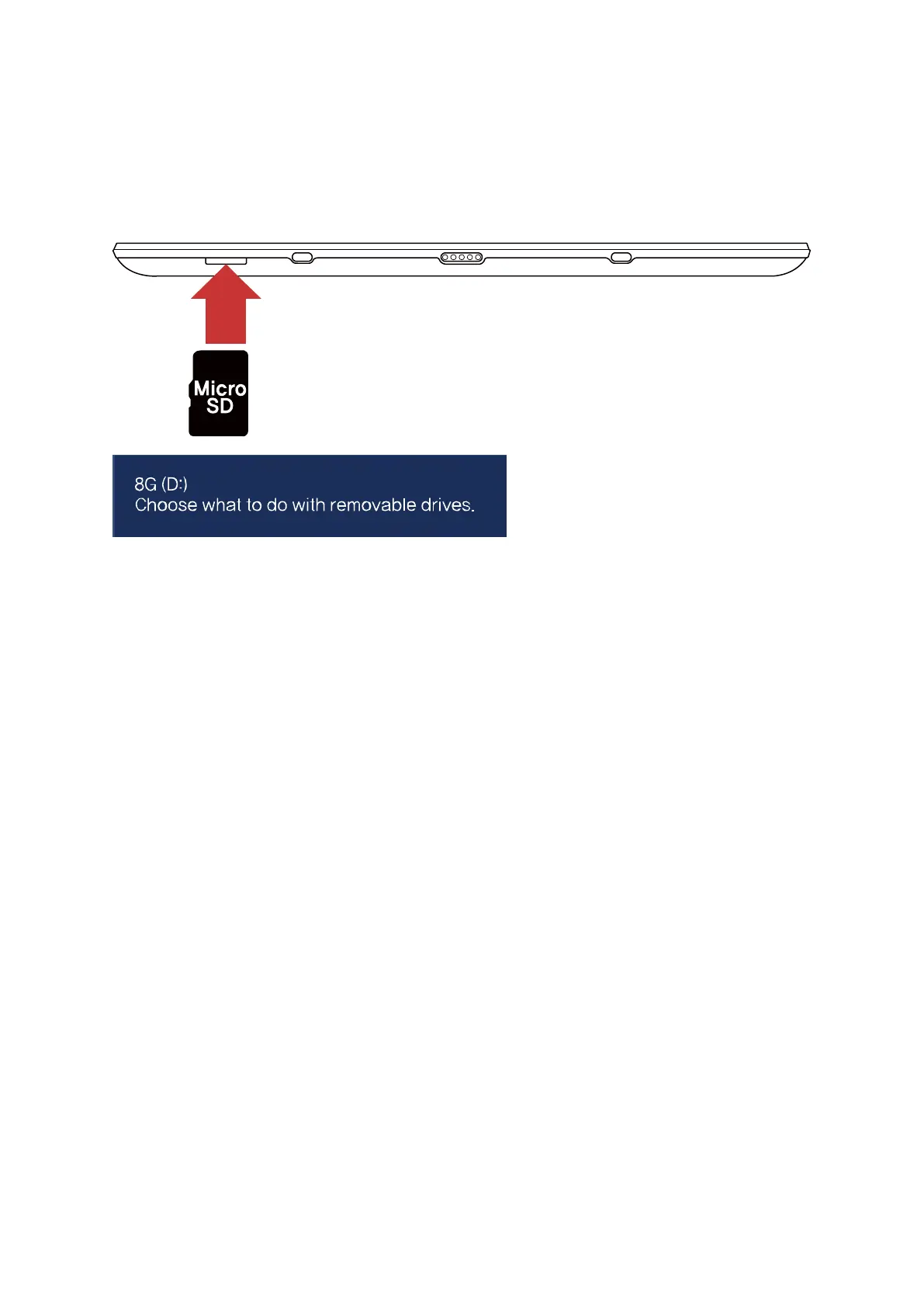
Micro SD card slot
Micro SD is the removable drive anc can move various data easily and expand capacity of PC
Using Card
1. Insert the Micro SD card into Micro SD card slot
2. Message in top of right side
3. Click and touch ‘Open folder to view files’
4. Now you can save, move and delete data on Micro SD card.
5. After finish use, press inserted Micro SD card and Micro SD card sticks out.


 To Next Page