Need help?
Do you have a question about the MPOWERD Luci Explore and is the answer not in the manual?
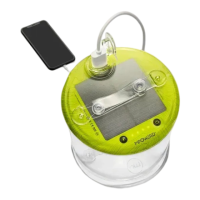
Instructions for charging the Luci device via solar power and USB, as well as charging external devices.
Guidance on operating the Luci device, including light functions, listening to audio, and setting alarms.
Steps for initial setup, downloading the app, and connecting the Luci device via Bluetooth.
Details on controlling brightness, changing colors, creating custom moods, and setting schedules via the app.
Answers regarding direct sunlight, charging under cloudy conditions, and indoor lighting effectiveness.
Information on Bluetooth range, connecting the device, simultaneous charging/usage, and battery drain.
Details on leaving the light outside, making calls, and ensuring battery life for wake-up alarms.
 General
| Battery Life on Low | up to 24 hours |
|---|---|
| Charging Time (USB) | 6-8 hours |
| Water Resistance | IP67 |
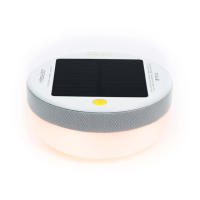
| Charging | Solar and USB |
| Brightness | 75 lumens |
| Dimensions | 4.5 x 4.5 x 5.5 inches |
| Battery | 2000 mAh lithium-ion |
| Features | Inflatable, collapsible |
| Material | TPU |

 To Next Page