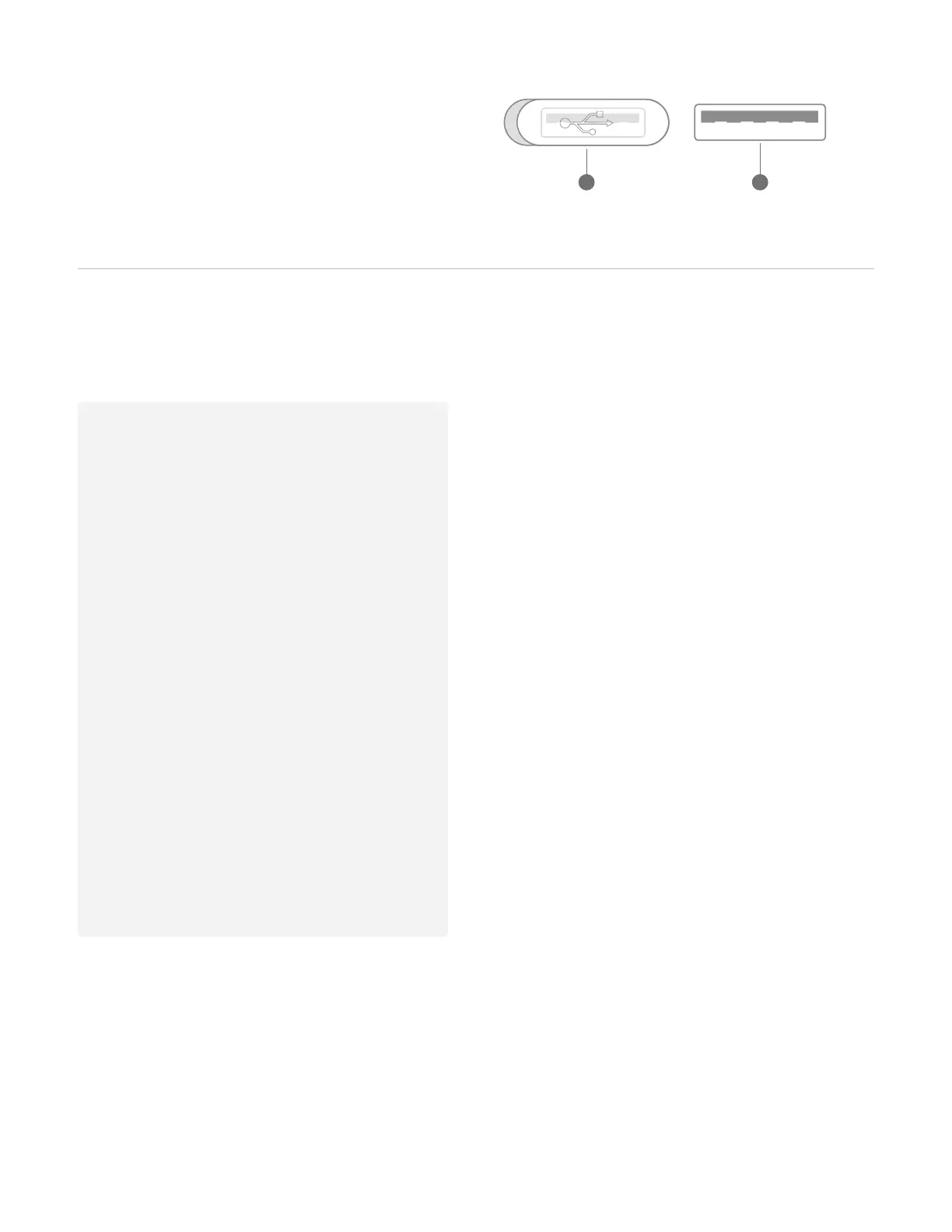
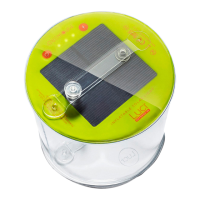
A. Lift cap to reveal port
B. Two-way USB port for charging the light,
or charging your devices
2
USB Port
BA
Getting to know the app
Getting started
• Before you can connect and control
light from your phone, the physical
product must be turned on. This
activates Bluetooth® pairing. If light
is turned off via physical product,
Bluetooth pairing deactivates.
• Press once to turn on white light.
Keep pressing to cycle through the 5
pre-set color modes.
Pro tip: After the first time you turn
the light on, you can turn on / off via
the app for your convenience!
How to connect
• Download the MPOWERD app from
the App Store or Google Play.
• Make sure your Bluetooth is on.
• Follow the on-screen prompts.
Control brightness
• Move slider to see real-time light changes.
• See estimated battery run-time change as
you adjust.
Change colors
• Tap the color wheel to change light color.
• Save selected color by tapping + .
• To delete: press, hold, and drag saved
color to trash can.
Create moods
• Select your colors, choose the brightness,
and name the mood.
• Save multiple personalized moods.
• Comes with 2 built-in presets moods.
Set a schedule
• Program personalized light setting to turn
on & off at a specific time.
• Save multiple schedules.
• Set a countdown timer.


 To Next Page