© mPTech 2019. Wszystkie prawa zastrzeżone. HAMMER 5 SMART PL
1
Skrócona instrukcja użytkowania telefonu
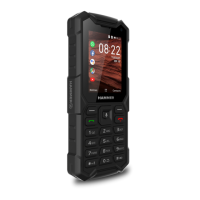
HAMMER 5 SMART
Nr partii: 201910
Spis treści
Spis treści ........................................................................................................ 1
Bezpieczeństwo.............................................................................................. 2
Zawartość zestawu ....................................................................................... 5
Specyfikacja techniczna .............................................................................. 5
Dodatkowe informacje .................................................................................6
Telefon, jego przyciski i funkcje .................................................................6
Wkładanie kart(y) SIM, karty pamięci i akumulatora.........................9
Ładowanie akumulatora telefonu............................................................9
Włączanie i wyłączanie telefonu ............................................................ 10
Pierwsze uruchomienie .............................................................................. 10
System antykradzieżowy KaiOS ............................................................. 10
Awaryjna zmiana języka ............................................................................. 11
Ustawienia fabryczne .................................................................................. 11
Rozwiązywanie problemów ...................................................................... 12
Utrzymanie i konserwacja telefonu ....................................................... 13
Prawidłowa utylizacja zużytego sprzętu elektrycznego i
elektronicznego ............................................................................................ 13
Prawidłowa utylizacja zużytego akumulatora ................................... 14
Warunki gwarancji ....................................................................................... 15
Producent nie jest
odpowiedzialny za
konsekwencje sytuacji
spowodowanych
nieprawidłowym
użytkowaniem telefonu lub
niezastosowaniem się do
powyższych zaleceń.
Wersja oprogramowania może
być ulepszona bez
wcześniejszego
powiadomienia. Reprezentant
zachowuje sobie prawo do
decydowania o właściwej
interpretacji powyższej
instrukcji.


 To Next Page
 General