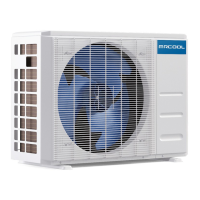
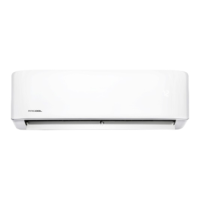
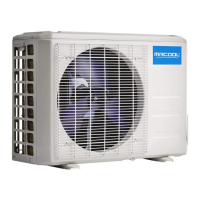
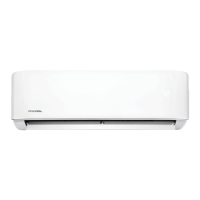
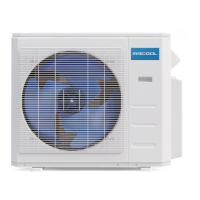
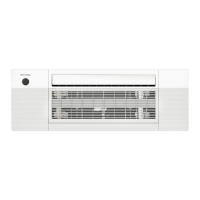
This document serves as a user manual for the MRCOOL Advantage Series air conditioner, providing essential information for its operation, maintenance, and troubleshooting. It emphasizes that installation should be performed by an authorized technician, not an amateur, to ensure safety and proper functioning. Users are advised to read the manual carefully and retain it for future reference.
Function Description:
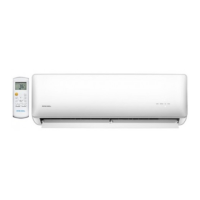
The MRCOOL Advantage Series is an air conditioning unit designed for residential or commercial use, offering cooling, heating, and dehumidifying functionalities. It operates as a heat pump, absorbing heat from the outdoors and transferring it indoors during heating mode, and vice versa for cooling. The unit is equipped with various features to optimize comfort and energy efficiency, including different operating modes (AUTO, COOL, DRY, HEAT), a SLEEP mode for gradual temperature adjustment, and a DRYING mode for dehumidification. Some models may also include special functions like Refrigerant Leakage Detection, Louver Angle Memory, Self Clean, Clean Air, Anti-Mildew, and an Optimal Operation feature that resumes previous settings after a power interruption. The unit can be controlled via an infrared remote control, and some models offer a WIFI Control Function for management through a smartphone app.
Usage Features:
The unit features an indoor display panel that shows the temperature setting, room temperature (in FAN mode), and self-diagnostic codes. It indicates when features like Timer, Fresh, Swing, Turbo, Silence, Defrosting, Anti-Cold Air, Self Clean, and Freeze Protection are active. The display can show temperatures in Celsius or Fahrenheit, with default units being Fahrenheit, switchable via the remote control. The display colors change based on the operation mode (cool colors for Cool/Dry, warm colors for Heat). A Wireless Mode indicator lights up when wireless control is active, and an Energy Saving Mode indicator (optional) shows when this feature is engaged.
Airflow direction can be adjusted both vertically and horizontally. The vertical louver is controlled via the remote for up/down airflow, while the horizontal louver is adjusted manually for left/right airflow. Users are cautioned against manually moving the vertical louver to avoid synchronization issues. For optimal performance, it's recommended to adjust airflow away from people and at moderate angles, keep windows and doors closed, and maintain moderate temperature settings to conserve energy. The unit also has a manual control button, accessible by opening the front panel, for emergency operation if the remote control fails. This button allows for forced AUTO or COOL operation.
Special functions enhance user experience and unit longevity. Refrigerant Leakage Detection (optional) alerts users to potential leaks. The Louver Angle Memory Function (optional) recalls the last selected louver position within a safe operating range. The Self Clean Function automatically dries the indoor heat exchangers to prevent bacterial growth, activatable in COOL or DRY modes. The Clean Air Function (optional) improves indoor air quality using an ionizer or plasma dust collector. The Anti-Mildew Function (optional) runs the fan at low speed for about 10 minutes after shutdown in certain modes to dry the unit's interior.
The unit also provides reminders for filter maintenance. A Clean Air Filter Reminder (optional) displays "CL" after 240 hours of operation, prompting users to clean the air filter. A Replace Air Filter Reminder (optional) displays "nF" after 2880 hours, indicating it's time to replace the filter. Both reminders can be reset using the remote control or manual control button. A Mute Function (optional) allows users to turn off the LED display and silence the indoor unit's buzzer for a quieter environment.
Maintenance Features:
Regular maintenance is crucial for the unit's efficiency and lifespan. Before any maintenance, the power to the unit must be turned off at the breaker.
Cleaning the Unit:
The exterior of the unit should be wiped with a soft, dry cloth. For heavier dirt, a cloth soaked in warm water can be used. Harsh chemicals like bleach, benzene, thinner, polishing powder, or similar solvents should be avoided as they can damage or deform the plastic. Water hotter than 40°C / 104°F should not be used on the front panel to prevent deformation or discoloration. Chemically treated cloths or dusters are also not recommended.
Cleaning the Air Filter and Air Freshener:
A clogged air filter reduces heating and cooling efficiency. It is recommended to clean the air filter every two weeks.
- Access: Open the front panel by lifting both ends until it clicks and remains open. Some models may require suspension bars to prop up the lid.
- Removal: Use the filter tabs to lift the filter slightly upward, then pull it toward you, and finally draw it downward to extract.
- Air Freshening Filter: If present, unclip the small air freshening filter from the larger air filter. This filter can be replaced or cleaned with a vacuum.
- Cleaning: Wash the large air filter with soapy water and rinse with fresh water. Shake off excess water and dry it in a cool, shaded area to prevent shrinking.
- Reinstallation: Re-clip the air freshening filter (if applicable) into the large air filter. Re-fit the air filter back into the unit by reversing the removal steps: gently push the top up into the unit, then lower the bottom into place.
- Close Panel: Close the front panel firmly, ensuring all buckles are properly fit.
Preparation for Extended Non-Operation:
If the unit will not be used for a long period (e.g., between seasons):
- Clean the indoor unit and filters as outlined above.
- Operate the unit in FAN-only mode for at least 8 hours to thoroughly dry the interior.
- Turn off the unit and disconnect power at the circuit breaker.
- Remove batteries from the remote control.
- The outdoor unit also requires periodic maintenance, which should be performed by a qualified service professional.
Pre-Season Inspection:
Before resuming operation after a long period of non-use:
- Check for damaged or disconnected wires.
- Clean the indoor unit and filters.
- Check for water and oil leaks.
- Check for blockages in the airflow inlet and outlet.
Troubleshooting:
The manual provides a troubleshooting guide for common issues like delayed operation after restart, fan speed changes, sudden heating stops, mist from the indoor unit, low volume sounds, dust discharges, peculiar odors, and erratic operation. It also lists error codes (E0, E1, E2, P1, P2, P3, F1, F2, F3, etc.) that may appear on the indoor unit display, indicating specific malfunctions. In case of persistent problems or serious abnormalities (e.g., burning smell, loud sounds, frequent circuit breaker trips, water leakage), users are strongly advised to immediately turn off the unit and contact a qualified service professional, providing detailed malfunction information and the unit model number. Users are warned against attempting to correct these issues themselves.


 To Next Page
 General