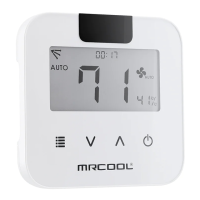
Need help?
Do you have a question about the MrCool RG10F2/BGEFU1 and is the answer not in the manual?
Instructions for installing batteries in the remote control before use.
Information on regulatory compliance and troubleshooting radio frequency interference.
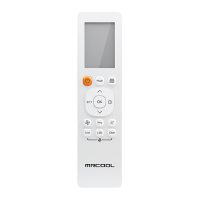
Explains the purpose of each button and general operation modes of the remote control.
How to increase or decrease the set temperature using the remote control buttons.
Steps to select and use the AUTO operating mode, including setting temperature.
Steps to select COOL mode, set temperature, and choose fan speed.
Steps to select DRY mode for dehumidifying function and set temperature.
Steps to select FAN mode and choose fan speed.
Steps to select HEAT mode, set temperature, and choose fan speed.
Procedure to set the time for the unit to automatically turn on.
Procedure to set the time for the unit to automatically turn off.
How to use the shortcut function to revert to previous settings.
How to alternate the temperature display between Celsius and Fahrenheit.
How to activate and deactivate the remote control lock function.
How to activate the sleep function to save energy during sleeping hours.
How to enter function settings and select desired functions.
How the Follow Me function measures ambient temperature for optimized comfort.
This document is a user manual for the AHU Remote Control, designed to operate an air handling unit (AHU). It provides comprehensive instructions on how to use the remote control for various functions, from basic operations to advanced settings, ensuring comfort and efficient use of the air conditioning system.
The AHU Remote Control allows users to manage their air conditioning unit with ease. It supports multiple operating modes, including AUTO, COOL, DRY, HEAT, and FAN, catering to different climate control needs. Users can adjust the temperature, set fan speeds, and utilize advanced features like timers and sleep mode. The remote control transmits signals to the indoor unit, which then executes the commands.
To begin, users must install two R03/LR03 dry batteries into the remote control. The Quick Start Guide outlines a simple four-step process:
Temperature can be increased or decreased in 1°F (1°C) increments. The maximum setting is 86°F (30°C), and the minimum is 60°F (16°C). The remote also allows switching between Celsius and Fahrenheit temperature readings using the °C/°F button.
The remote control offers TIMER ON and TIMER OFF functions, allowing users to schedule when the unit turns on or off automatically.
The remote control's LCD display provides visual feedback on the unit's status and settings. Indicators include:
The manual emphasizes proper battery handling:
The manual clarifies that button designs may vary slightly, and if a remote control has a button for a function not equipped on the indoor unit, pressing it will have no effect. In cases of conflicting function descriptions between the "Remote Controller Manual" and the "USER'S MANUAL," the latter takes precedence. It also notes that the air handler may support AP mode for wireless network configuration, but this feature must be activated via a wired thermostat, not the remote control.
 General
| Model | RG10F2/BGEFU1 |
|---|---|
| Type | Remote Control |
| Brand | MrCool |
| Display Type | LCD |
| Compatible Models | MrCool Mini-Split Systems |
| Battery Type | AAA |
| Operating Range | Up to 8 meters |
| Functions | Mode Selection, Fan Speed, Temperature Adjustment, Timer, Swing, Sleep Mode |


 To Next Page