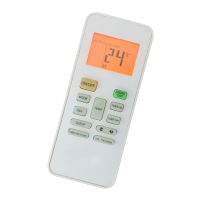
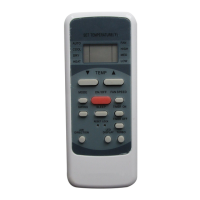
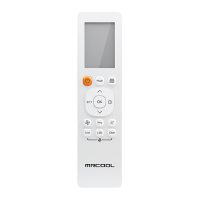
This document is a user manual for a MRCOOL Remote Control, model R57A6/BGEFU1, designed for air conditioning units. It provides instructions on how to operate the remote control, details its features, and outlines maintenance procedures.
Function Description
The remote control serves as the primary interface for operating an MRCOOL air conditioner. It allows users to turn the unit on and off, select various operating modes (Auto, Cool, Dry, Heat, Fan), adjust fan speed, set desired temperatures, and utilize special functions like Sleep, Turbo, Self-Clean, Swing, Direct, Follow Me, and Timer operations. The remote transmits infrared (IR) signals to the indoor unit to control its functions.
Important Technical Specifications
- Model: R57A6/BGEFU1
- Rated Voltage: 3.0V (requires 2 x R03/LR03 dry batteries)
- Signal Receiving Range: 26.25 ft. (8m)
- Remote Temperature Setting Range: 62°F - 86°F (16°C - 30°C)
- Display: LCD with indicators for mode, temperature, fan speed, timer settings, battery status, and special functions.
Usage Features
Basic Operation:
- ON/OFF Button: Turns the air conditioner on or off.
- MODE Button: Cycles through operating modes: Auto, Cool, Dry, Heat, Fan.
- FAN Button: Adjusts fan speed (Auto, Low, Med, High). Fan speed cannot be adjusted in Auto or Dry modes.
- UP/DOWN Buttons: Increase or decrease the indoor temperature setting in 1° increments. Holding both buttons for 3 seconds alternates between °F and °C display. Temperature control is not available in Fan mode.
Operating Modes:
- Auto Operation: The air conditioner automatically selects the appropriate mode (Cool, Fan, or Heat) based on the ambient room temperature and the set temperature. Fan speed is automatically controlled and cannot be adjusted.
- Cooling/Heating/Fan Operation: Allows manual selection of Cool, Heat, or Fan modes. Users can set the desired temperature and fan speed. In Fan mode, the setting temperature is not displayed and the remote does not control room temperature.
- Dehumidifying Operation (DRY): The unit operates in dehumidifying mode. Fan speed is automatically controlled and cannot be adjusted. Temperature setting is also not controllable in this mode; the unit runs non-stop and does not operate based on temperature or humidity.
Special Functions:
- SLEEP Button: Activates or disables the sleep function, which maintains a comfortable temperature and saves energy. Available in Cool, Heat, or Auto modes. Can be canceled by pressing MODE, FAN SPEED, or ON/OFF buttons.
- TURBO Button: Activates or disables the Turbo function, allowing the unit to reach the preset temperature in cooling or heating operations in the shortest time.
- SELF-CLEAN Button: Activates or disables the Self-Clean function. In this mode, the air conditioner automatically cleans and dries the evaporator to keep it fresh.
- SILENCE/FP Button:
- SILENCE: Activates the Silence function (short press). The compressor operates at a low frequency, and the indoor unit produces a faint breeze to reduce noise. This may result in insufficient cooling/heating capacity.
- FP (Freeze Protection): Activates the FP function (press and hold for >2 seconds). Only available during heating operation, setting the unit to 46°F (7.8°C). The indoor unit display will show 'FP'. This function is canceled by pressing ON/OFF, SLEEP, FP, MODE, FAN SPEED UP, or DOWN.
- SWING Button: Stops or starts the auto-swing feature of the horizontal louver for improved airflow distribution.
- DIRECT Button: Changes the louver movement and sets the desired up/down airflow direction in 6° increments.
- FOLLOW ME Button: Activates the Follow Me feature. The remote control displays the actual temperature at its location and sends this signal to the air conditioner every 3 minutes. The feature is canceled by pressing the button again or automatically if no signal is received for 7 minutes.
- LED Button: Disables or enables the indoor screen display.
Timer Operations:
- TIMER ON Button: Initiates the auto-on time sequence. Each press increases the auto-timed setting by 30-minute increments (up to 10 hours) and then by 60-minute increments (up to 24 hours). To cancel, set the time to 0.0.
- TIMER OFF Button: Initiates the auto-off time sequence. Each press increases the auto-timed setting by 30-minute increments (up to 10 hours) and then by 60-minute increments (up to 24 hours). To cancel, set the time to 0.0.
- Combined Timer (ON and OFF simultaneously): Allows setting both auto-off and auto-on times. This is useful for stopping the unit after going to bed and starting it again before waking up or returning home.
- To set, first set the TIMER OFF, then set the TIMER ON. The remote control will display both "TIMER ON" and "TIMER OFF" indicators when activated.
Maintenance Features
Battery Replacement:
- Indication of Exhausted Batteries: No beep upon signal transmission, or indicator fades away.
- Procedure:
- Remove the cover on the rear of the remote control.
- Remove old batteries and insert two new R03/LR03 dry batteries, ensuring correct (+) and (-) polarity.
- Reinstall the cover.
- Note: Removing batteries erases previous programming; the remote must be reprogrammed after replacement.
Cautions for Remote Control Handling:
- Ensure the remote control is within 26.25 ft (8m) of the appliance and pointed towards the receiver.
- Avoid blocking signals with curtains, doors, or other materials.
- Be aware of potential IR interference from other devices.
- Do not allow liquid to enter the remote control.
- Avoid direct sunlight or heat exposure to the remote control or the indoor unit's IR receiver.
- Handle with care; do not drop or place heavy objects on it.
- Do not mix old and new batteries or different types of batteries.
- Remove batteries if the remote controller will not be used for 2-3 months.
- Dispose of batteries properly as unsorted municipal waste requires special treatment.
The manual emphasizes that due to updates and performance improvements, information is subject to change, and users should visit www.mrcool.com/documentation for the latest version. The current version date is 04-27-21.

 Need help?
 General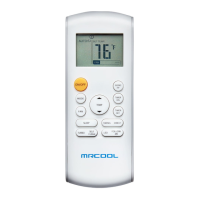

 To Next Page