Need help?
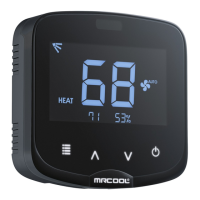
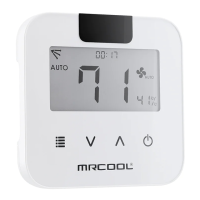
Do you have a question about the MrCool Mini-Stat and is the answer not in the manual?
Contact information for app-related queries and assistance, including email and phone.
Contact details for general product and air conditioner support via phone.
Steps for downloading and installing the MRCOOL SmartHVAC application from app stores.
Process for creating a new user account or logging into the MRCOOL SmartHVAC app.
Connecting the MRCOOL Mini-Stat to your mobile device via Bluetooth for registration.
Completing the device setup, naming it, and accessing its settings menu.
Understanding the Bluetooth icon status for device connectivity to the app.
Adjusting temperature, AC modes, fan speed, and swing position using local controls.
Accessing screen lock, unit switching (F/C), and special modes like Freeze Protection.
Troubleshooting common issues related to Bluetooth connection and device status.
 General
| Brand | MrCool |
|---|---|
| Model | Mini-Stat |
| Category | Remote Control |
| Language | English |

 To Next Page