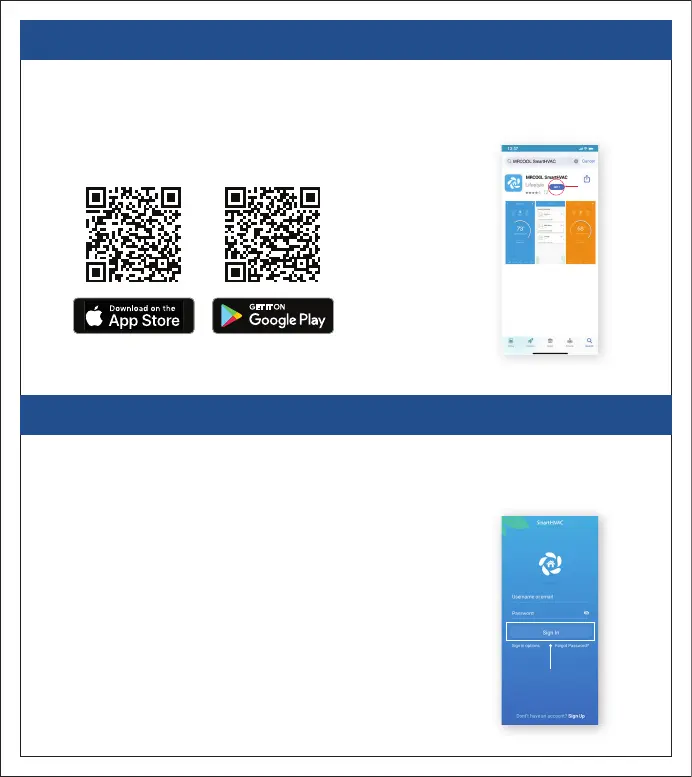
2. APP INSTALLATION - iOS / ANDROID
• Go to the App Store / Play Store.
• In the ‘Search’ section type ‘MRCOOL SmartHVAC’.
• Once ‘MRCOOL SmartHVAC’ App is displayed, tap the ‘GET’ button.
• Open the App after installation is complete.
3
MRCOOL SmartHVAC App
2. APP INSTALLATION - iOS / ANDROID
• You can either create a new user account or login as an existing user.
• As an existing user, enter username and password and tap the ‘Sign In’ button.
• If you are a new user, tap the ‘Sign Up’ button and fill in the information.
Login Screen


 To Next Page