TAL 0110 (L) Rev. 8 - 10020949
MAINTAINING THE RESPIRATOR
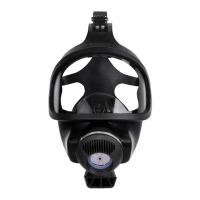
brush or sponge may be used to
clean the facepiece. Be sure to
clean under the exhalation valve.
f. Disinfect the facepiece and com-
ponents by submerging the face-
piece and components for the
recommended time period.
g. Rinse the facepiece and compo-
nents in clean, warm (110°F),
preferably running water. Drain.
If not rinsed thoroughly, cleaning
agent residue may irritate the wear-
er’s skin.
h. The facepiece and components
should be air-dried or hand-dried
with a clean lint-free cloth.
Do not force-dry the parts by placing
them in a heater or direct sunlight.
This will cause the respirator to dete-
riorate.
i. After the facepiece is dry, inspect
the facepiece thoroughly for
missing or damaged parts.
Reinstall the exhalation valve
cover. Install the nosecup (if
used) and a new cover lens (if
used). The facepiece may be
stored in a clean storage bag to
protect from contamination until
the next use.
Alcohol should not be used as a ger-
micide, because it may deteriorate
the rubber.
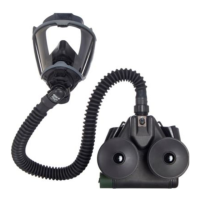
5. Use a damp cloth or sponge satu-
rated with Confidence Plus cleaning
solution or an equivalent solution to
wipe the motor-blower and battery
pack housing and battery cable
clean.
Do not place the motor-blower or
battery pack in any liquid. The blower
impeller can be loosened or the
motor shaft can be bent. If the
motor-blower is dropped, check the
housing for cracks. Listen closely to
the motor. If the impeller binds or
rattles, or if air output is reduced, the
entire motor-blower must be
returned to MSA for repair.
6. Clean the support belt. Thoroughly
wash and rinse the support belt in
the Confidence Plus cleaning solu-
tion or an equivalent cleaning solu-
tion. A soft brush or sponge may be
used.
RESPIRATOR STORAGE
The battery pack (P/N 10022696)
should be stored within a temperature
range of 50°-85°F. If the battery pack
has been stored in a "full charged" con-
dition for more than one week, the bat-
tery pack should be charged until a full
charge is indicated. Higher tempera-
tures will shorten battery life. Lower
temperatures will decrease capacity
and operating time will be reduced. The
other OptimAir MM 2K components can
be stored at temperatures of 0°F to
120°F.
21



 To Next Page