CX61/CR61 (MS-16GB)Disassembly Guide
3、HDD MODULE
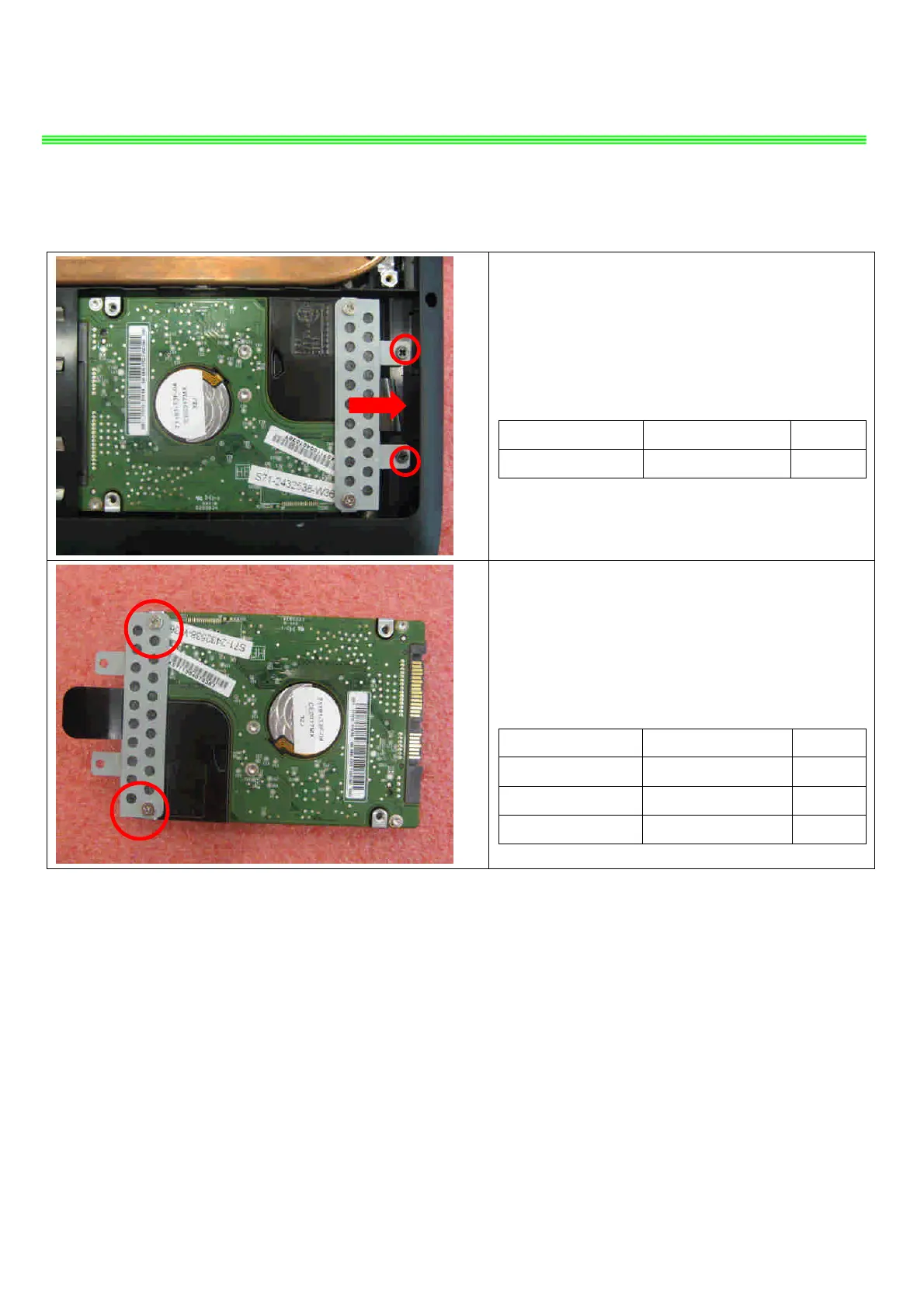
3.1: Remove the 2 screws (M2.5*5mm); then
remove the HDD Module according to the direction
as pic shows.
Attention: the screw driver torque is 2.0-2.5Kgf-cm
Component P/N Qty
Screw E43-1255001-G68 2
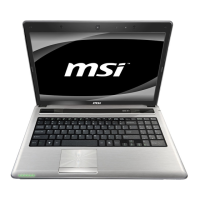
3.2: Remove the 2 screws (M3*3.5mm) that
stabilize the HDD bracket, then remove the HDD
bracket.
Attention: the screw driver torque is 3.0-3.5Kgf-cm
Component P/N Qty
Screw E43-1303502-H29 2
HDD Bracket 307-6G10111-A89 1
HDD Module S71-2450540-W36 1


 To Next Page