Need help?
Do you have a question about the MSI CX480 and is the answer not in the manual?
Introduction to the manual and its contents.
Lists the main sections and pages of the manual.
Details about compliance with regulatory standards like FCC and CE.
Guidelines for safe operation and handling of the equipment.
Specific precautions for handling and replacing the lithium battery.
European Union directive on waste electrical and electronic equipment.
Introduces manual structure and content.
Instructions for unpacking and verifying notebook contents.
Detailed hardware specifications of the notebook.
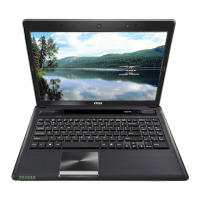
Overview of notebook's external appearance and component locations.
Detailed view of notebook's top surface components.
Ports and indicators on the front side.
Ports and devices on the right side.
Ports and devices on the left side.
Components on the rear side.
Components on the bottom side.
Explanation of keyboard layout, function keys, and smart buttons.
Guide to touchpad gestures for navigation and control.
Information on hard disk and optical drive usage.
Connecting USB, display, and communication devices.
Information on upgradable components and replacement.
Instructions for connecting the AC adapter and managing power.
Using, installing, releasing battery, and safety tips.
Enabling and using various power saving modes.
Configuring power saving options in Windows.
Tips for optimizing energy consumption.
Safe and comfortable notebook operation.
Keyboard layout, function keys, and shortcuts.
Explanation of arrow, Home, PgUp, PgDn, End keys.
Details on Fn key, Windows keys, and dual display.
Guide to touchpad gestures for navigation.
Information about the hard disk drive.
Instructions for using the optical drive.
Instructions for connecting USB peripherals.
Connecting monitors and projectors via VGA/HDMI.
Details on LAN, WLAN, and Bluetooth connections.
Information on upgradable components and replacement.
Explanation of the Time Stamp feature for system backup.
When to use BIOS setup and how to access it.
Keyboard keys for navigation and control in BIOS setup.
Overview of main BIOS menus and their functions.
System date, time, SATA, and information settings.
Performance, power saving, and hardware feature configuration.
Setting and managing BIOS passwords.
Settings for boot order and device priorities.
Saving changes, discarding, and loading defaults.
 General
| Operating System | Windows 7 Home Premium |
|---|---|
| Weight | 2.2 kg |
| Optical Drive | DVD Super Multi |
| LAN | 10/100/1000 Mbps |
| Wireless LAN | 802.11 b/g/n |
| D-Sub (VGA) | 1 |
| HDMI | 1 |
| USB 2.0 port | 2 |
| Mic-in/Headphone-out | 1/1 |
| Storage | 500GB HDD |
| Display | 14" HD (1366x768) LED backlight |
| Battery | 6-cell |
| Audio | 2 speakers |
| Card Reader | SD/MMC |

 To Next Page