CX70/CR70 (MS-1755) Disassembly Guide
6、SEPARATE UPPER CASE AND LOWER CASE
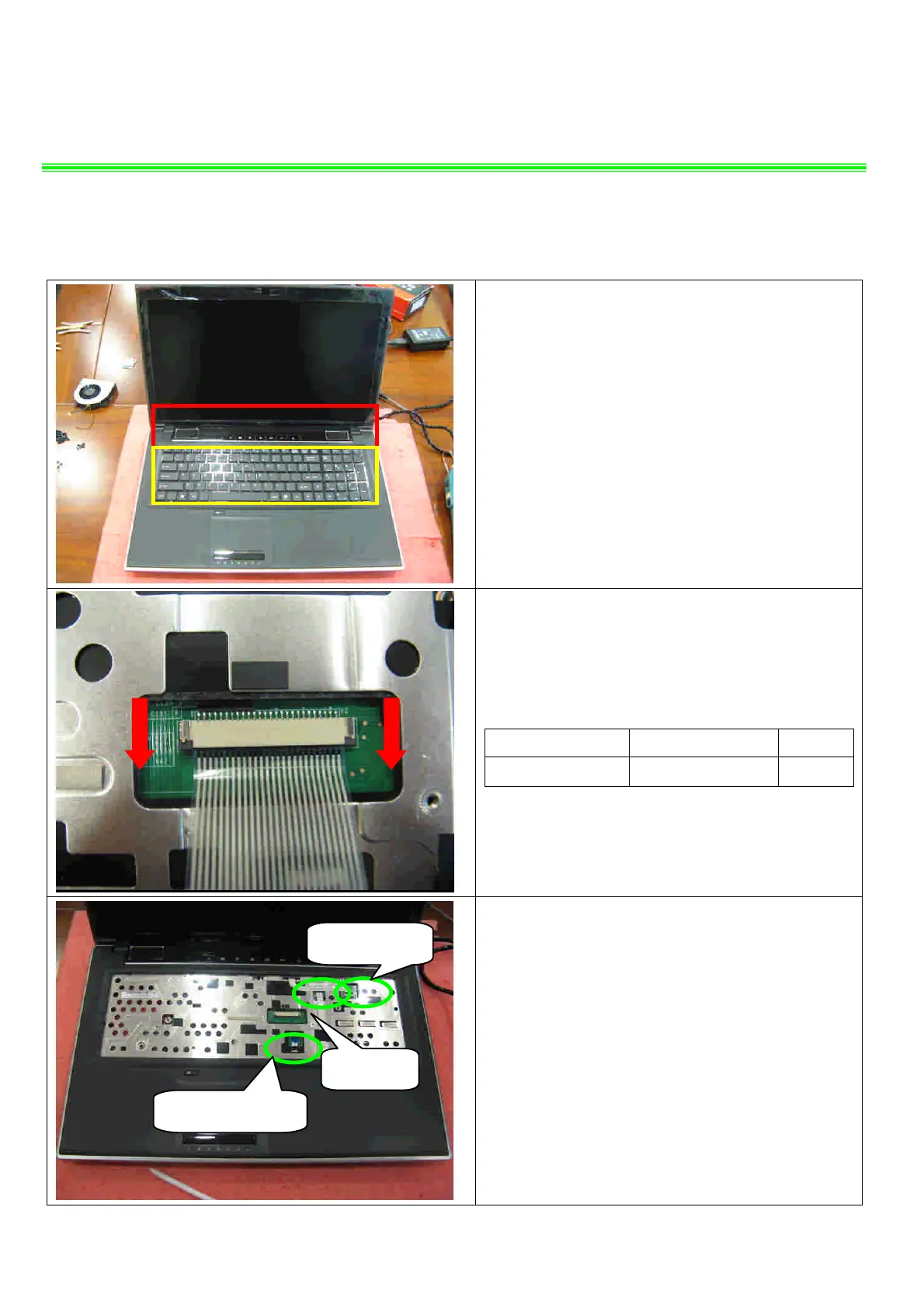
6.1: Remove the Keyboard. Firstly release the
hook of the upside, then remove the upside, after
that release the hook of the two sides, then remove
the two sides, last remove down side.
,
6.2 : Firstly push connector according to the
direction as pic shows; then remove the cable.
Component P/N Qty
Keyboard S1N-3EUS231-SA0 1
6.3:Firstly open the connector according to the
direction as pic shows; then remove the Power
board and Touchpad cable.
Power board
Touchpad
Touchpad Button


 To Next Page