16
Memory
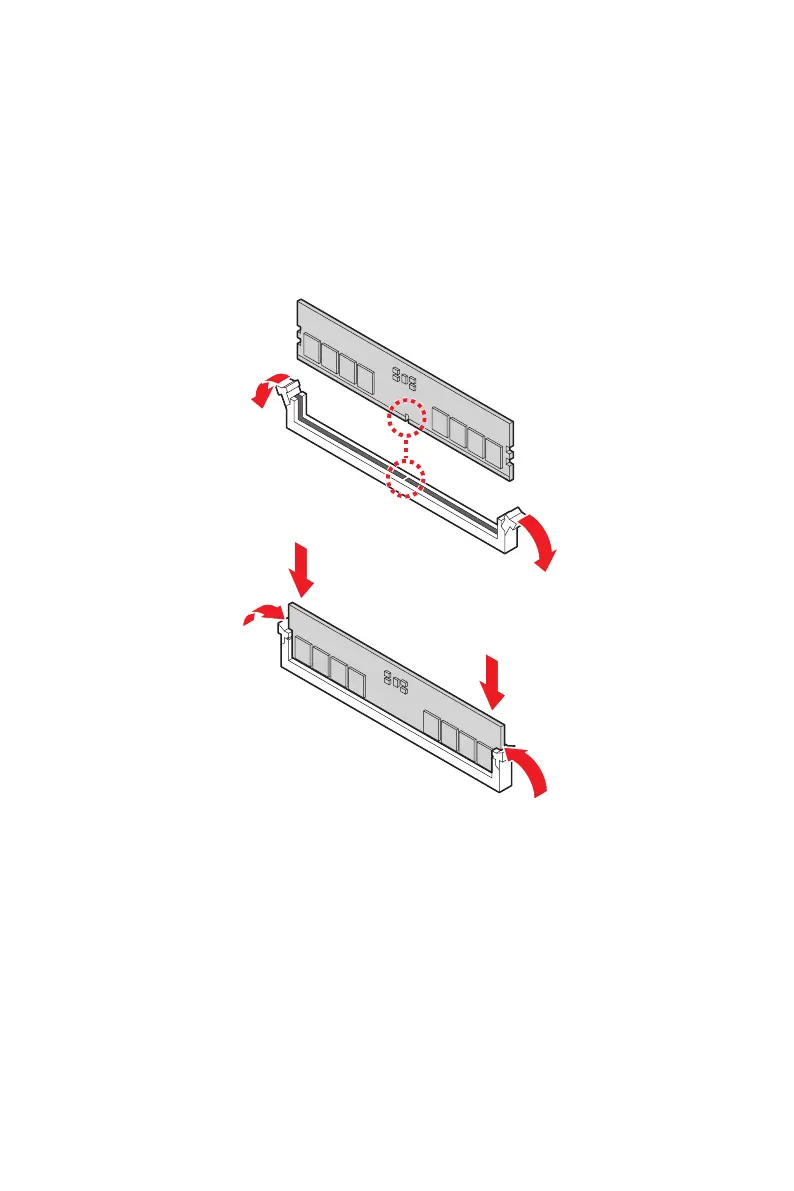
Installing Memory Modules
1. Open the side clips to unlock the DIMM slot.
2. Insert the DIMM vertically into the slot, ensuring that the off-center notch at the
bottom aligns with the slot.
3. Push the DIMM firmly into the slot until it clicks and the side clips automatically
close.
4. Verify that the side clips have securely locked the DIMM in place.
⚠
Important
You can barely see the golden finger if the memory module is properly inserted in the
DIMM slot.



 To Next Page