2-14
Introductions
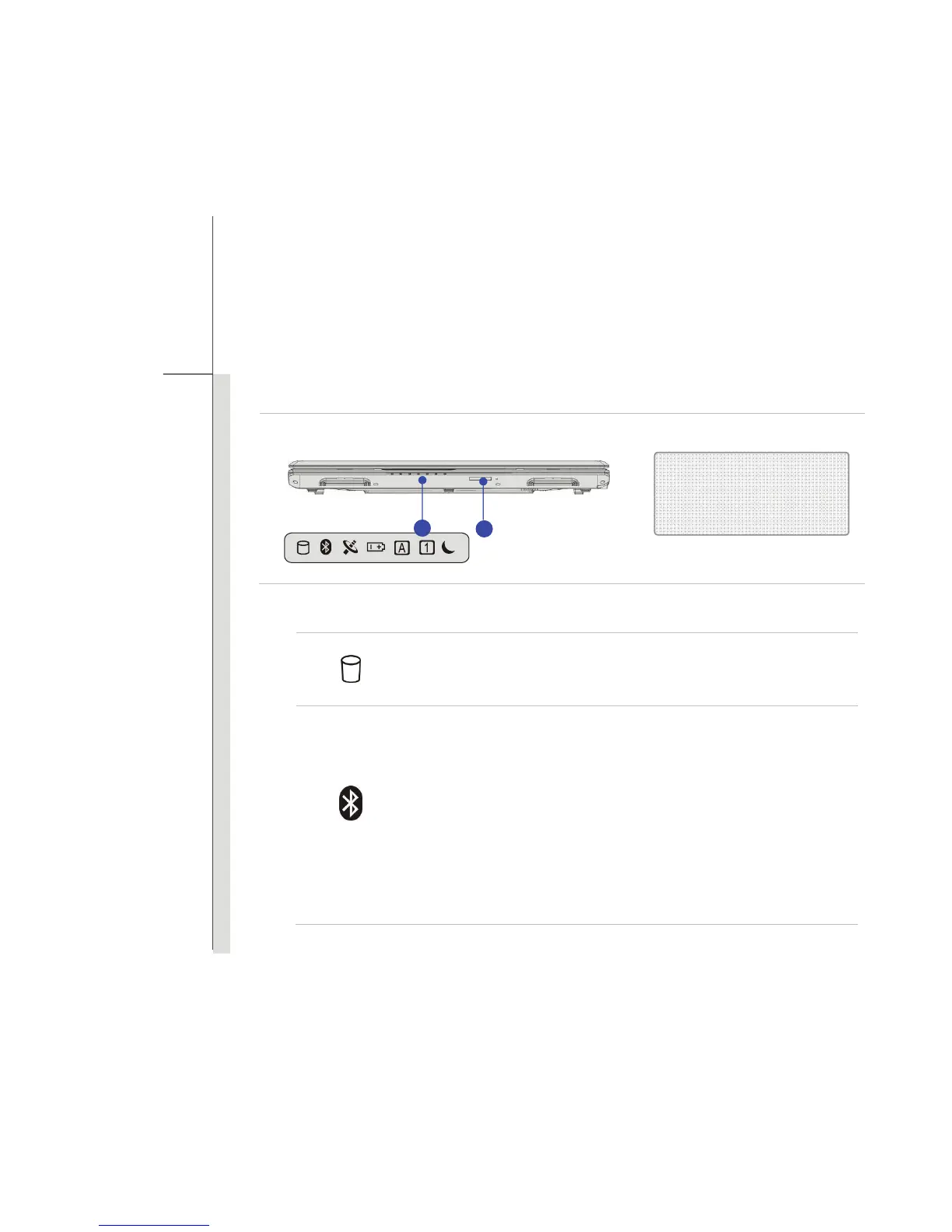
Front View
1. Status LED
Hard Disk/ Optical Drive Device In-use:
Blinking blue when the system is accessing the hard disk drive or the
optical drive device.
Bluetooth
Bluetooth
Bluetooth LED indicator glows blue when Bluetooth function is
enabled.
Warning: For flight safety consideration, make sure this LED
indicator goes out when you are in flight.
Note: The Bluetooth Function may be optionally supported
depending on the model users purchased.
Contact the local distributor for further information if necessary.
1. Status LED
2. Card Reader
1
2



 To Next Page