2-21
Introductions
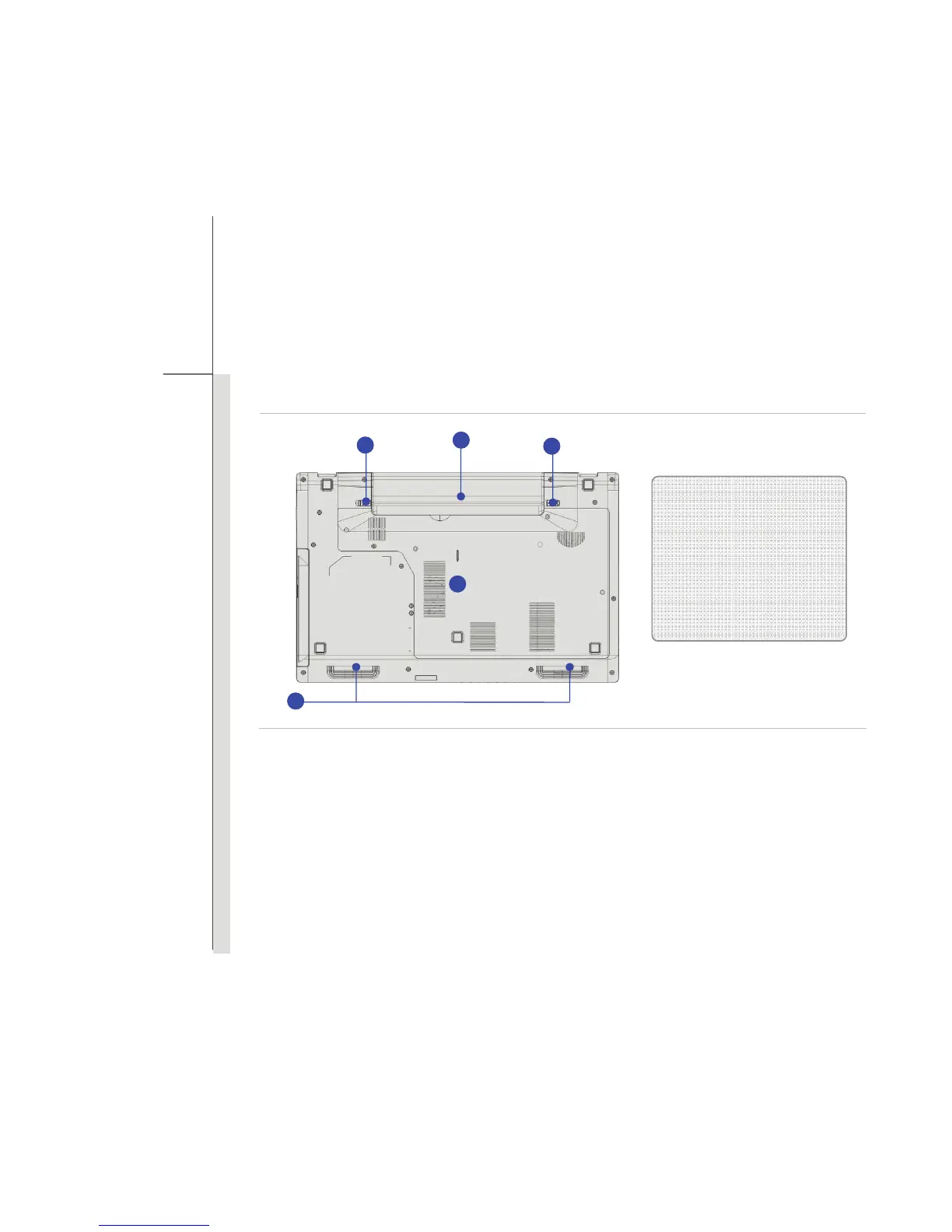
Bottom Side View
1. Battery Release Button
It is a bounce-back device as a preparation for releasing the battery pack. Slide it with one hand
and pull the battery pack carefully with the other.
2. Battery Pack
This notebook will be powered by the battery pack when the AC adapter is disconnected.
1. Battery Release Button
2. Battery Pack
3. Battery Lock/ Unlock Button
4. Ventilator
5. Stereo Speaker
1
2
5
4
3



 To Next Page