3-6
Getting Started
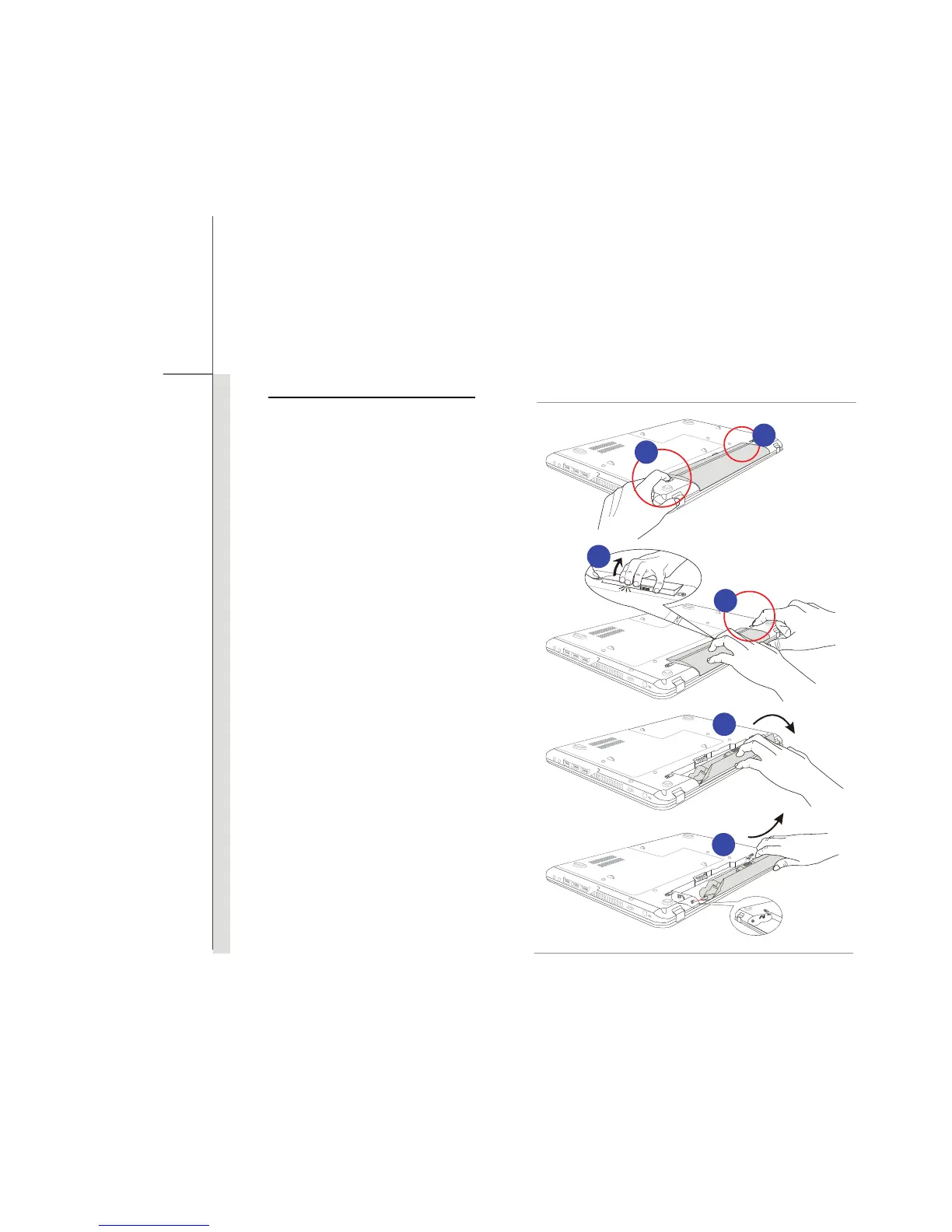
Releasing the Battery Pack
To release the battery pack, following the
steps below:
1. Make sure the notebook is turned off,
and the AC power is disconnected.
2. Press the lock/unlock button to the
unlocked position.
3. Locate the battery release button on
the bottom side.
4. Push and hold the release button to
the battery releasing direction as
shown on the bottom side.
5. Dig the edge of battery pack out of the
battery tray with your finger tip. Be
careful with your finger while trying to
take out the battery pack.
6. Stand the battery pack upright first,
and then pull the battery pack out.
Do not use force here.
5
6
2
4
6
3



 To Next Page