3-20
Getting Started
+
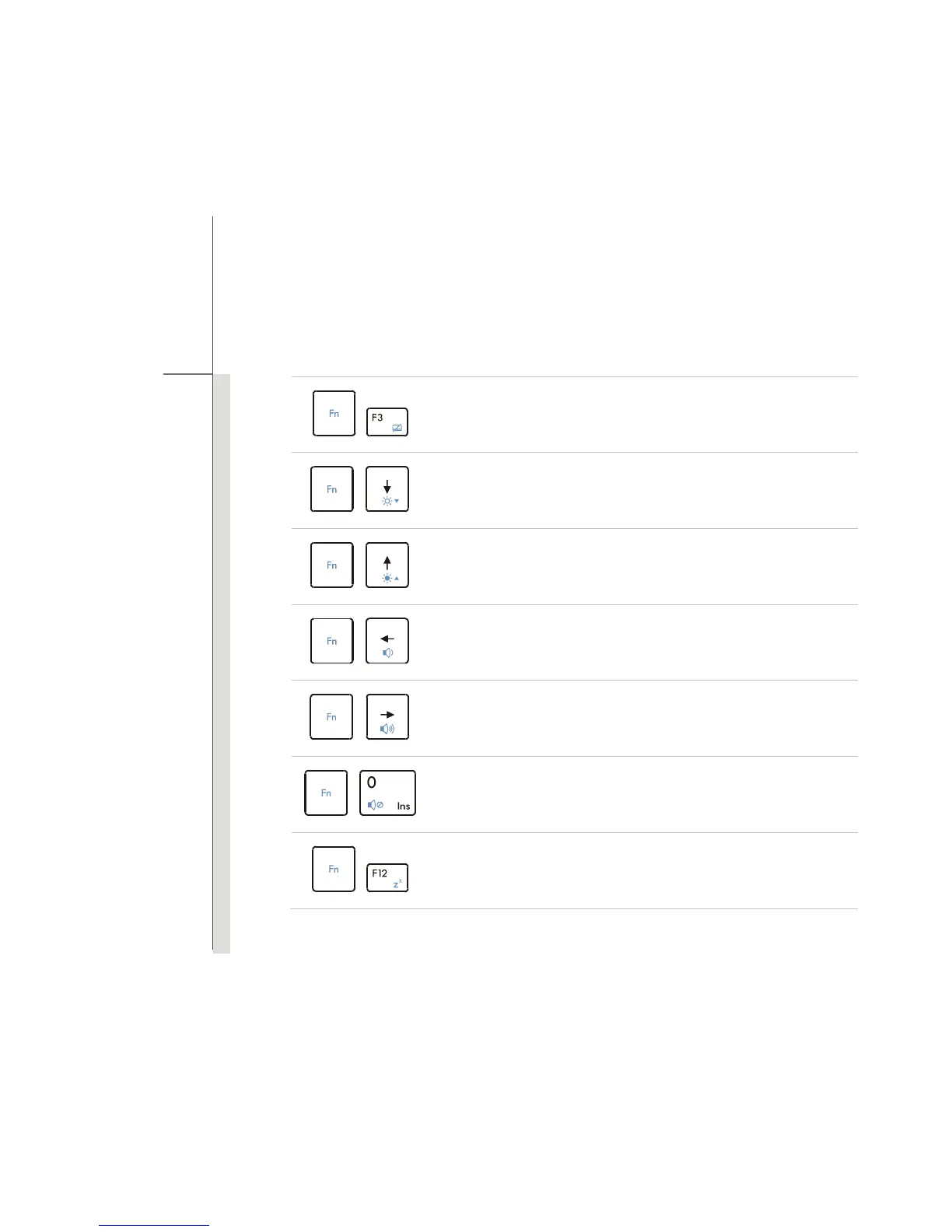
Enable or disable the touchpad function.
+
Decrease the LCD brightness.
+
Increase the LCD brightness.
+
Decrease the built-in speaker’s volume.
+
Increase the built-in speaker’s volume.
+
Disable the computer’s audio function.
+
Force the computer into sleep state (depending on the system
configuration).



 To Next Page