Need help?
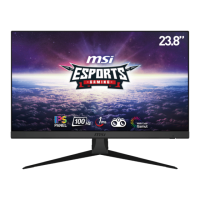
Do you have a question about the MSI G2412 and is the answer not in the manual?
Step-by-step instructions for assembling the monitor stand for specific monitor models.
Step-by-step guide for connecting the monitor to a computer, including power and video cables.
Provides solutions for common problems like no power, no image, fuzzy screen, flickering, and waves.
Outlines safety precautions for power connection, voltage, battery handling, and disposal.
Discusses safe operating environments, cleaning procedures, and warnings about device damage or hazards.
 General
| Color depth | 8 bit |
|---|---|
| Color gamut | 86.52 % |
| Pixel pitch | 0.2745 x 0.2745 mm |
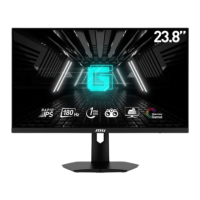
| Screen shape | Flat |
| Display diagonal | 23.8 \ |
| Anti-glare screen | Yes |
| Display technology | - |
| Native aspect ratio | 16:9 |
| Vertical scan range | 48 - 170 Hz |
| Maximum refresh rate | 170 Hz |
| Contrast ratio (dynamic) | 100000000:1 |
| Contrast ratio (typical) | 1100:1 |
| Display number of colors | 16.7 million colors |
| Display diagonal (metric) | 60 cm |
| Display brightness (typical) | 250 cd/m² |
| HDMI version | 1.4b |
| DisplayPort version | 1.2a |
| Tilt angle range | -5 - 20 ° |
| Cable lock slot type | Kensington |
| Panel mounting interface | 100 x 100 mm |
| Input current | 2.25 A |
| AC input voltage | 100 - 240 V |
| AC input frequency | 50 - 60 Hz |
| Power consumption (off) | 0.3 W |
| AC adapter output voltage | 20 V |
| Power consumption (standby) | - W |
| Power consumption (typical) | 18 W |
| Package depth | 434 mm |
| Package width | 615 mm |
| Package height | 179 mm |
| Package weight | 5100 g |
| Product color | Black |
| Market positioning | Gaming |
| AMD FreeSync type | FreeSync Premium |
 Weight and Dimensions
| Depth (with stand) | 229.4 mm |
|---|---|
| Width (with stand) | 540.2 mm |
| Height (with stand) | 411.6 mm |
| Weight (with stand) | 3300 g |
| Depth (without stand) | 44.5 mm |
| Height (without stand) | 328.2 mm |
| Weight (without stand) | 2600 g |

 To Next Page