En-35
Englsh
Important
Faled Overclockng Resoluton
Ths manboard supports overclockng greatly. However, please make sure your
perpherals and components are bearable for some specal settngs. Any operaton that
exceeds product speccaton s not recommended. Any rsk or damge resultng from
mproper operaton wll not be under our product warranty.
Two ways to save your system from faled overclockng...
Reboot
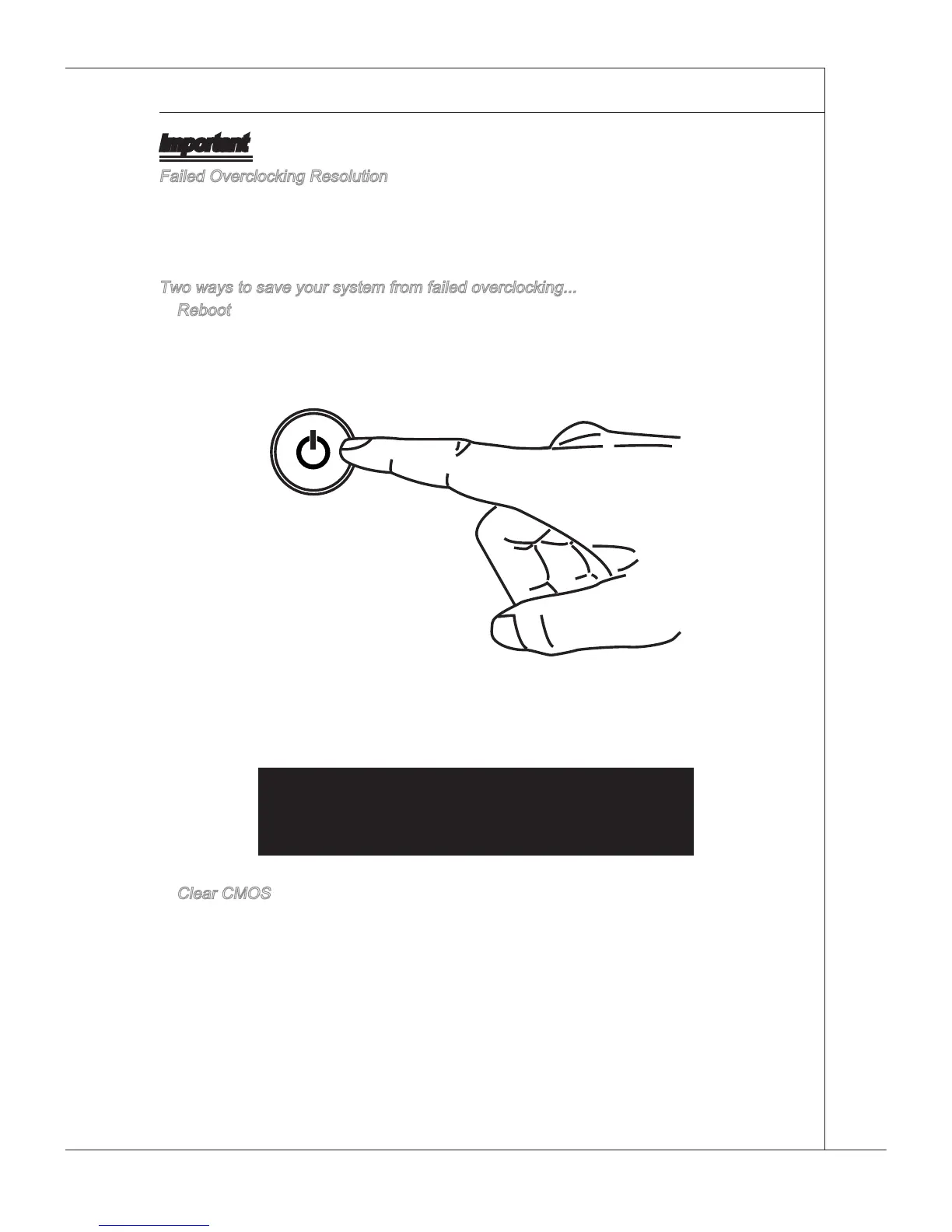
Press the Power button to reboot the system three tmes. Please note that, to avod
electrc current to aect other devces or components, we suggest an nterval of more
than 10 seconds among the reboot actons.
At the fourth reboot, BIOS wll determne that the prevous overclockng s faled and
restore the default settngs automatcally. Please press any key to boot the system
normally when the followng message appears on screen.
Warnng !!! The prevous overclockng had faled,
and system wll restore ts defaults settng,
Press any key to contnue.......
Clear CMOS
Please refer to "how to clear CMOS data" secton for more nformaton about how to
clear CMOS data.
•
•


 To Next Page