EasyManua.ls Logo

MSI MAG B550M VECTOR WIFI - To add a BIOS item to a favorite menu; To delete a BIOS item from favorite menu

MSI MAG B550M VECTOR WIFI
206 pages
Print Icon
To Next Page IconTo Next Page
To Previous Page IconTo Previous Page
Loading...
34
UEFI BIOS
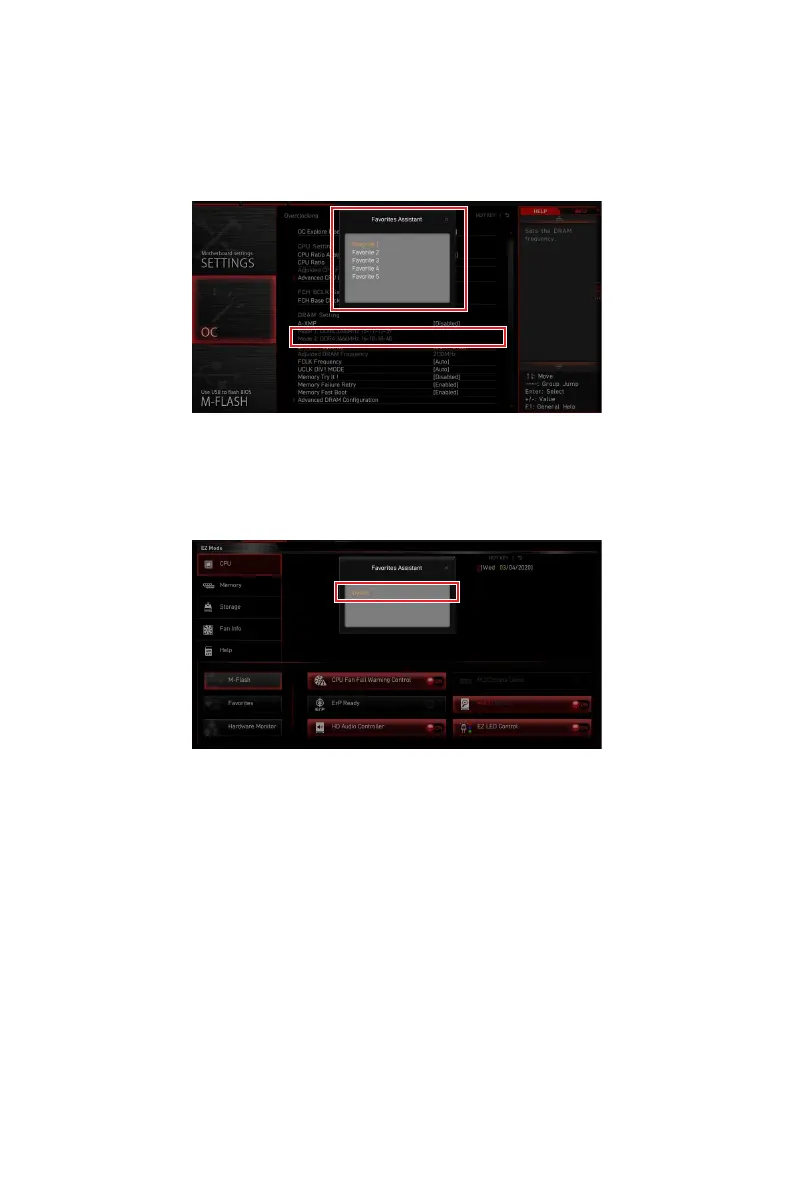
To add a BIOS item to a favorite menu
1. Select a BIOS item not only on BIOS menu but also on search page.
2. Right-click or press F2 key.
3. OK.
To delete a BIOS item from favorite menu
1. Select a BIOS item on favorite menu.
2. Right-click or press F2 key.
3. Delete and click on OK.

Table of Contents

Other manuals for MSI MAG B550M VECTOR WIFI

Related product manuals