CHAPTER 2 HARDWARE INSTALLATION
2-18
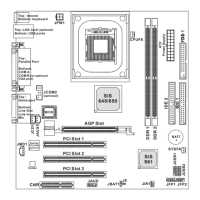
2.3 Power On Mode Jumper: JIPWR
The mainboard supports two kinds of system boot up: the Boot-Up by
switch and the Immediate Boot-Up. With the Boot-Up by Switch, the system
will boot up only when the power on switch is pressed. For Immediate Boot-
Up, the system will boot up instantly when the power connector is
connected into the system.
A. Factory Default Setting for JIPWR is “short” (Boot-Up by
Switch)
- Power Management Enabled: During Power On, press the power
button switch and the system goes into suspend mode. Press it
more than four seconds and the system will power off.
- Power Management Disabled: During Power On, press the power
switch button and the system will power off.
B. Immediate Boot-Up
The system will boot up instantly when the power connector is
connected into the system.
JIPWR



 To Next Page