Chapter 2
HARDWARE INSTALLATION
Central Processing Unit: CPU
The mainboard operates with Intel
®
Pentium
®
4 processor. The mainboard
uses a CPU socket called Socket 423 for easy CPU installation. The CPU
should always have a Heat Sink and a cooling fan attached to prevent
overheating.
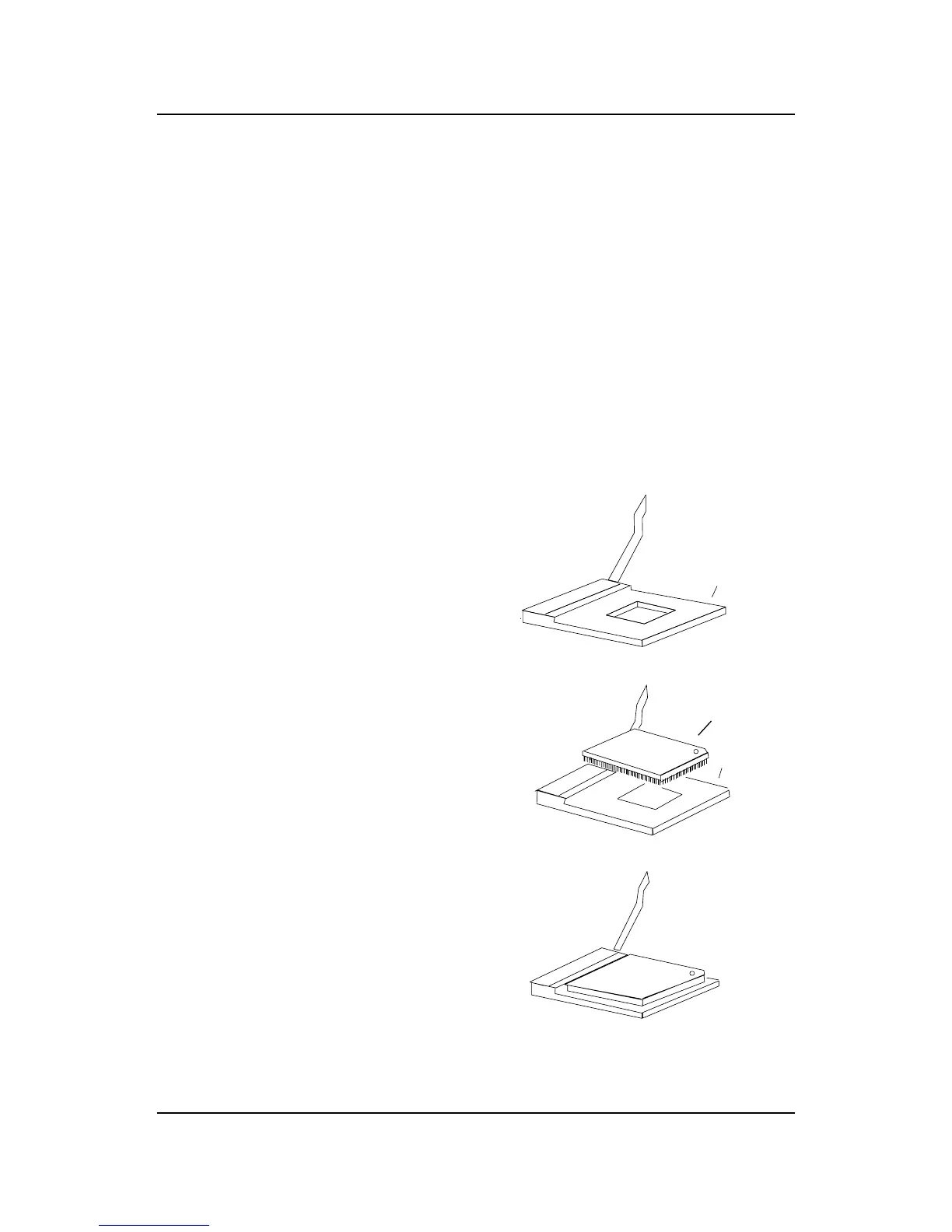
3. Press the lever down to
complete the installation.
2. Locate Pin 1 in the socket
and look for the white dot or
cut edge in the CPU. Match
Pin 1 with the white dot/cut
edge. Then, insert the CPU.
It should insert easily.
Open Lever
Pin 1
Sliding
Plate
White dot/
Cut edge
Close
Lever
1. Pull the lever sideways away
from the socket. Then, raise
the lever up to a 90-degree
angle.
Pin 1
••
••
• CPU Installation Procedures



 To Next Page