BIOS Setup
3-15
mode (0-4) for each of the four IDE devices that the onboard IDE interface
supports. Modes 0 through 4 provide successively increased performance.
In Auto mode, the system automatically determines the best mode for
each device. The settings are: Auto, Mode 0, Mode 1, Mode 2, Mode 3,
Mode 4.
Primary/Secondary Master/Slave UltraDMA
Ultra DMA/33 implementation is possible only if your IDE hard drive
supports it and the operating environment includes a DMA driver
(Windows 95 OSR2 or a third-party IDE bus master driver). If your hard
drive and your system software both support Ultra DMA/33, Ultra DMA/
66 and Ultra DMA/100 select Auto to enable BIOS support. The settings
are: Auto, Disabled.
IDE Burst Mode
This allows your hard disk controller to use the fast block mode to trans-
fer data to and from the hard disk drive. Block mode is also called block
transfer, multiple commands or multiple sector read/write. Enabled ena-
bles IDE controller to use block mode; Disabled allows the controller to
use standard mode. Setting options: Disabled, Enabled.
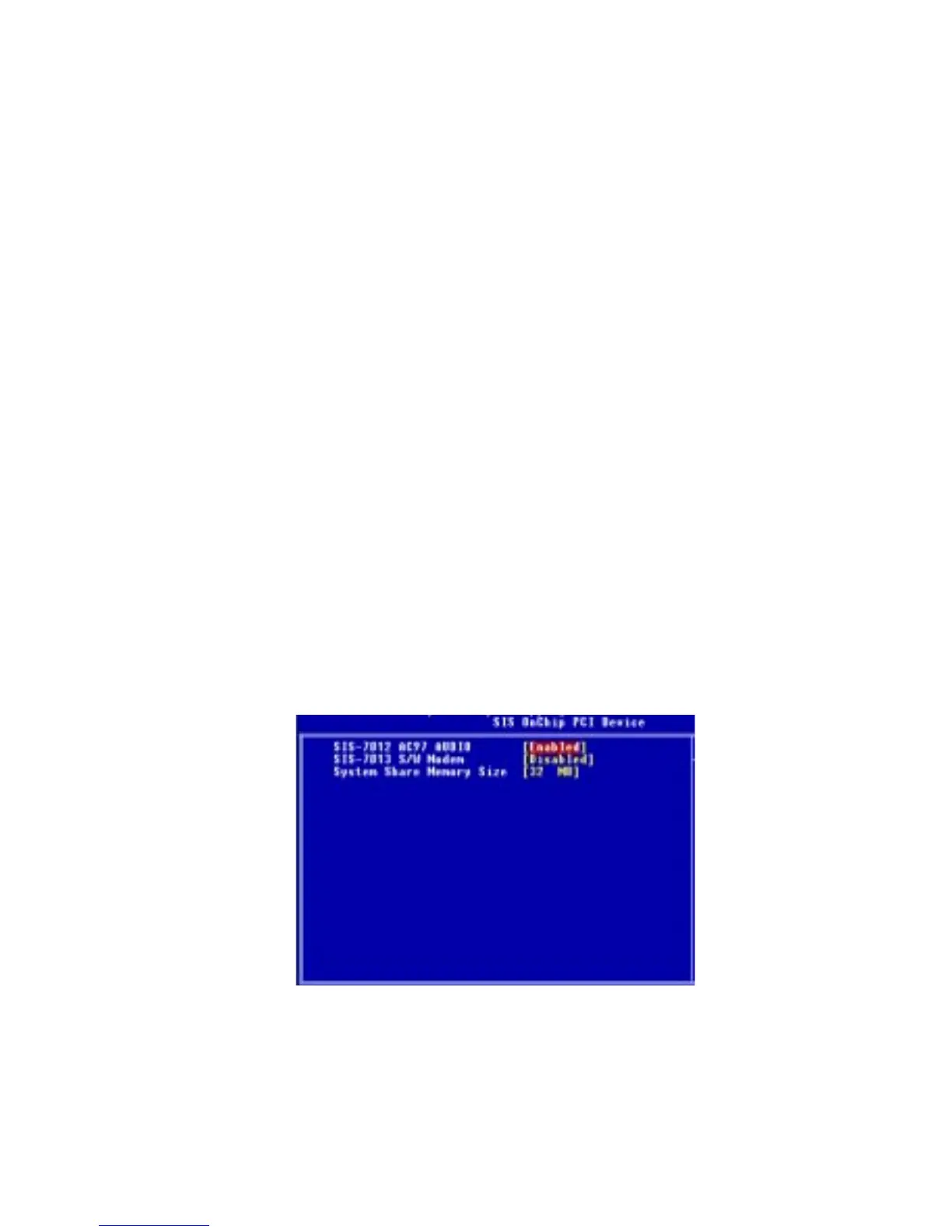
SiS OnChip PCI Device
Press <Enter> to enter the sub-menu and the following screen appears:
SiS-7012 AC97 Audio
This setting enables or disables the SiS-7012 AC97 audio. Setting options:
Disabled, Enabled.



 To Next Page