Delete LD Menu (Deleting RAID)
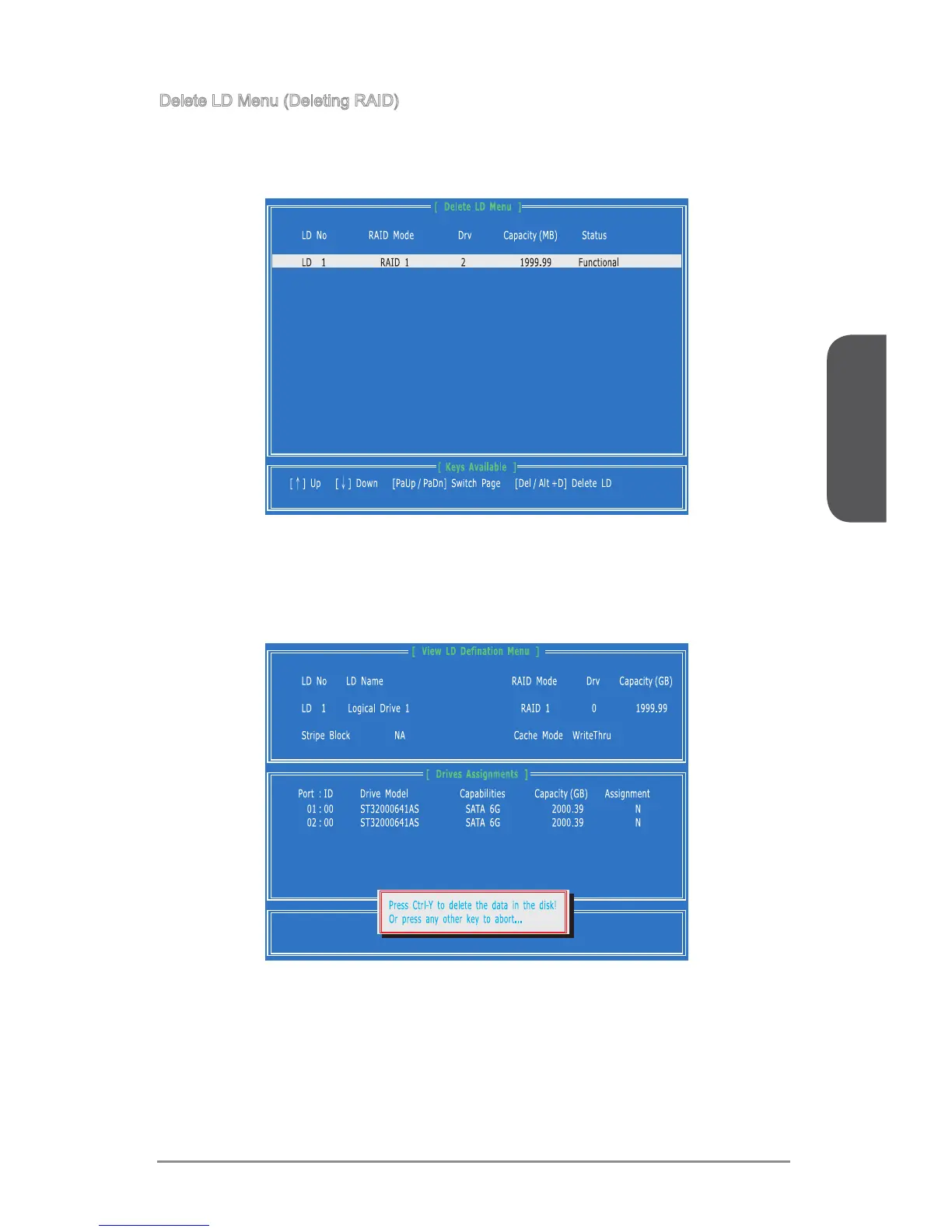
1. Press “3” on the main to enter the Delete LD Menu.
2. Choose a LD No. you want to delete and press [Del] or [Alt+D] delete the RAID
set.
3. On the next screen, a message will display to inform you, press “Ctrl+Y” to delete
the RAID set or other key to abort it. Press “Ctrl+Y” to complete the deletion.



 To Next Page