Getting Started
PB1-8
Connecting the Monitor to PC
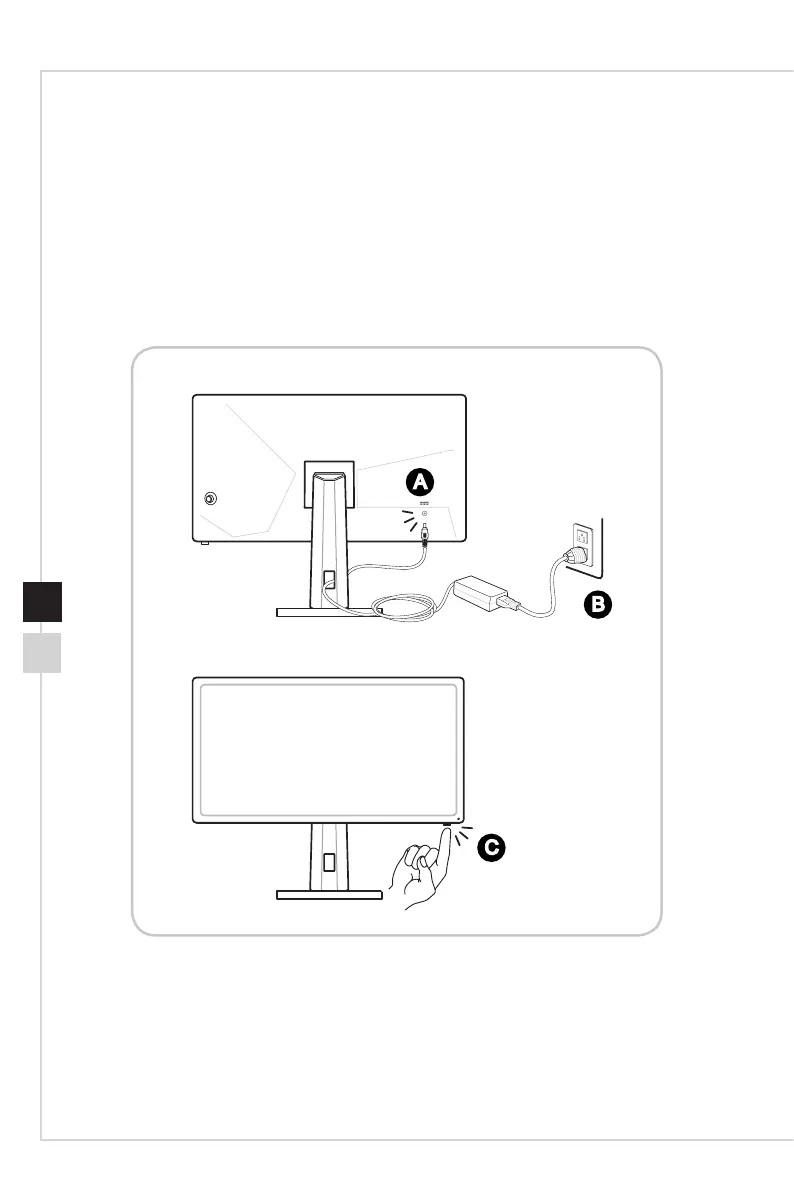
1� Turn o your computer.
2� Connect the HDMI/DisplayPort cable from the monitor to your computer�
3� Connect the power adapter to the monitor power jack� (Figure A)
4� Plug the power cord into the electrical outlet� (Figure B)
5� Turn on the monitor� (Figure C)
6� Power on the computer and select your input source in OSD menu�
A
B
C


 To Next Page
 Loading...