Getting Started
1-31-2
Installing the Monitor Stand
h PAG272QR/ 272QR2/ 272URV
IMPORTANT
Place the monitor on a soft, protected surface to avoid scratching the display panel�
The holes for installing the stand can be also used for wall mount� Please contact your
dealer for proper wall mount kit�
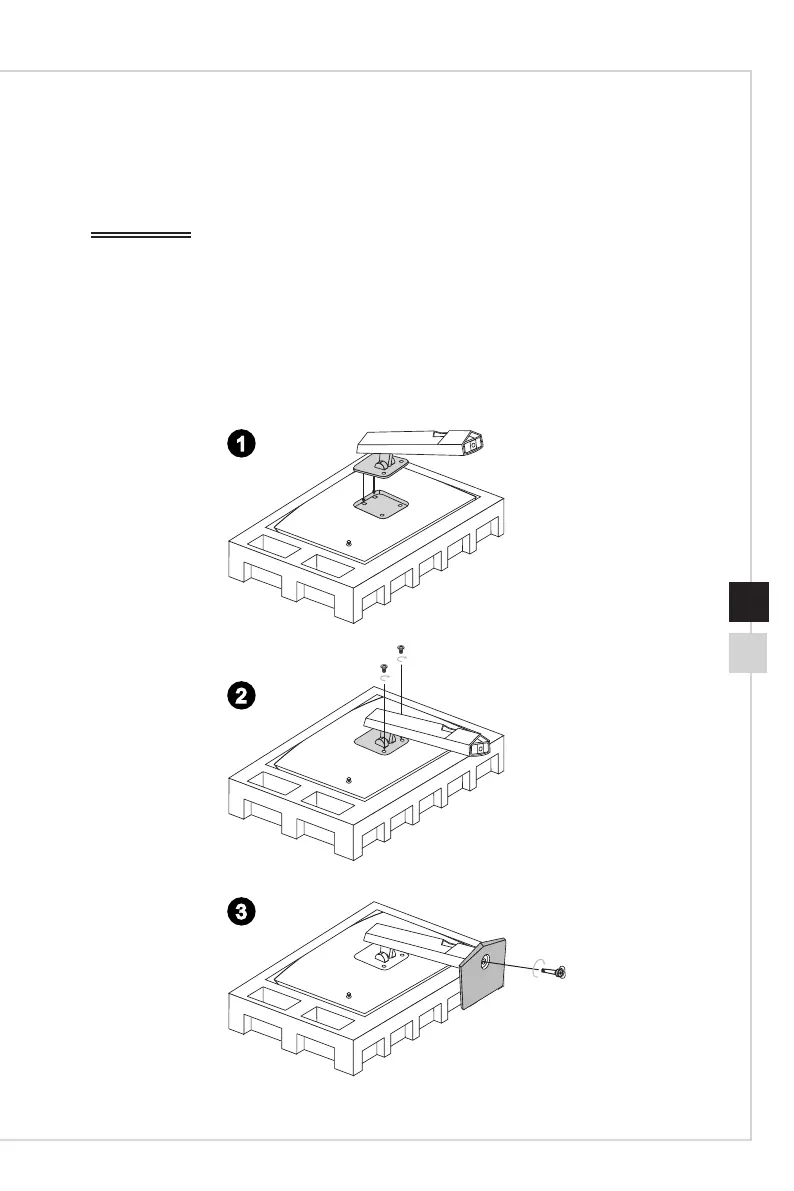
1� Align the latches of the stand to the monitor�
2� Tighten the stand with the stand screws�
3� Connect the base to the stand and tighten the base screw to secure the base�
3
2
1


 To Next Page
 Loading...