2-2 2-3
Getting Started
Hardware Setup
Important
•
The illustrations are for reference only� Your system may vary in appearance�
•
Please make sure the system has been grounded to earth through the AC power
cord and the electrical outlet before powering on the system�
•
Do not use any sharp objects on the display�
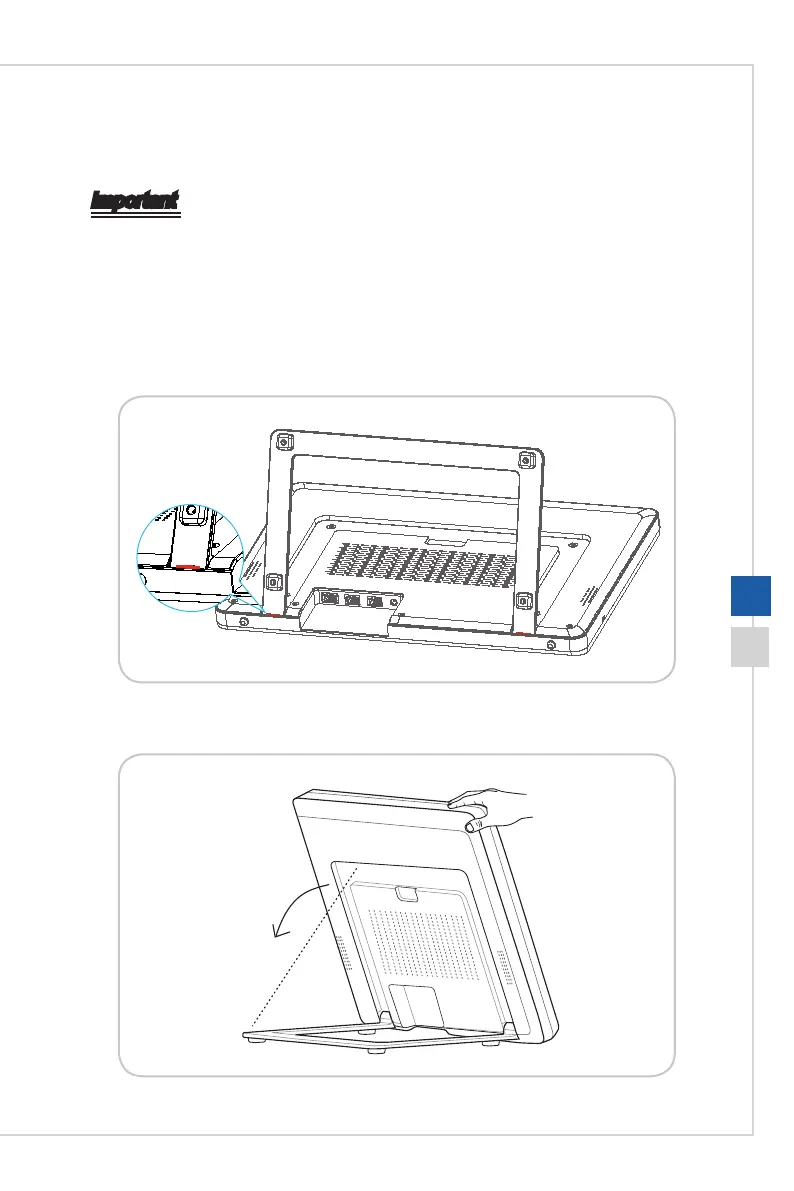
1� Pull the holder open and tilt the monitor� To stabilize the system, make sure that the
holder has been pulled until the mark on its hinge aligns to the bottom of the system�
2� Proper positioning helps to reduce your eye strain and muscle fatigue as well�




 To Next Page