System Operations
PB3-10
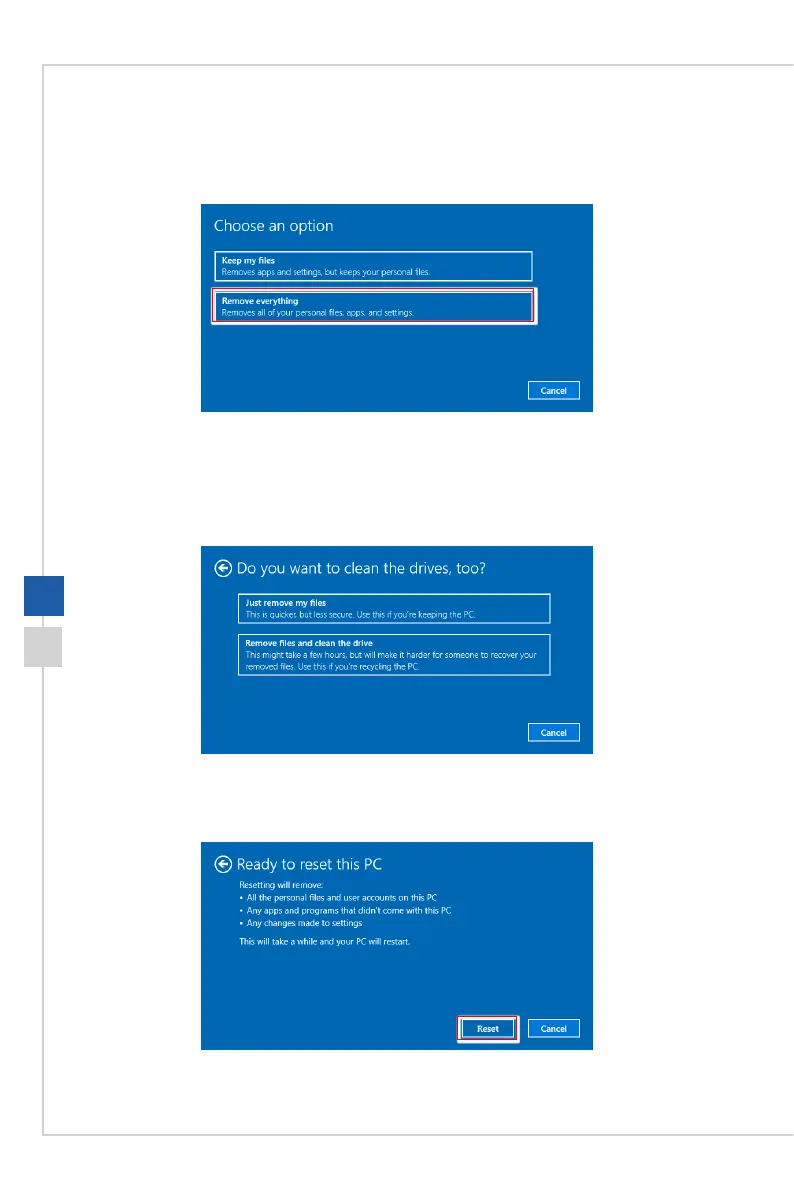
h Remove everything
1� Select [Remove everything]�
2� If you have multiple hard drives, a screen will pop up, asking you to choose between
[Only the drive where Windows is installed] and [All drives]�
3. Then select between [Just remove my les] and [Remove les and clean the drive].
4� The next screen will show the changes to be made during the process� Click [Reset]
to start the system reset�






 To Next Page