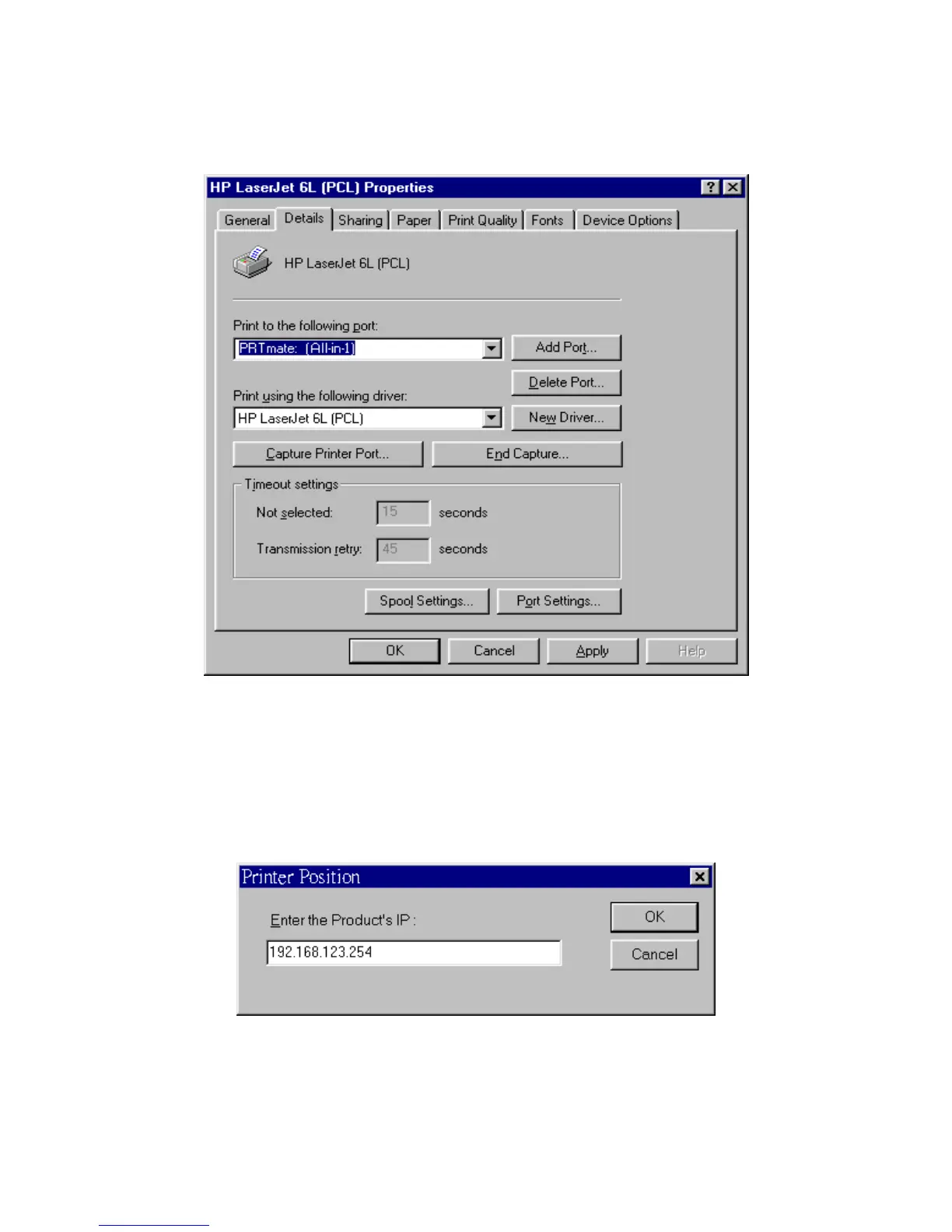
2. Click the Details item:
3. Choose the “PRTmate: (All-in-1)” from the list attached at the Print To item. Be sure that the Printer Driver
item is configured to the correct driver of your server printer.
4. Click on the button of Port Settings:
Type in the IP address of this product and then click the OK button.
6. Make sure that all settings mentioned above are correct and then click the OK button.



 To Next Page