EasyManua.ls Logo

MSI RG54GS2 - Hardware Installation; Panel Layout and Indicators

MSI RG54GS2
94 pages
Print Icon
To Next Page IconTo Next Page
To Previous Page IconTo Previous Page
Loading...
4
C
C
C
h
h
h
a
a
a
p
p
p
t
t
t
e
e
e
r
r
r
2
2
2
H
H
H
a
a
a
r
r
r
d
d
d
w
w
w
a
a
a
r
r
r
e
e
e
I
I
I
n
n
n
s
s
s
t
t
t
a
a
a
l
l
l
l
l
l
a
a
a
t
t
t
i
i
i
o
o
o
n
n
n
2.1 Panel Layout
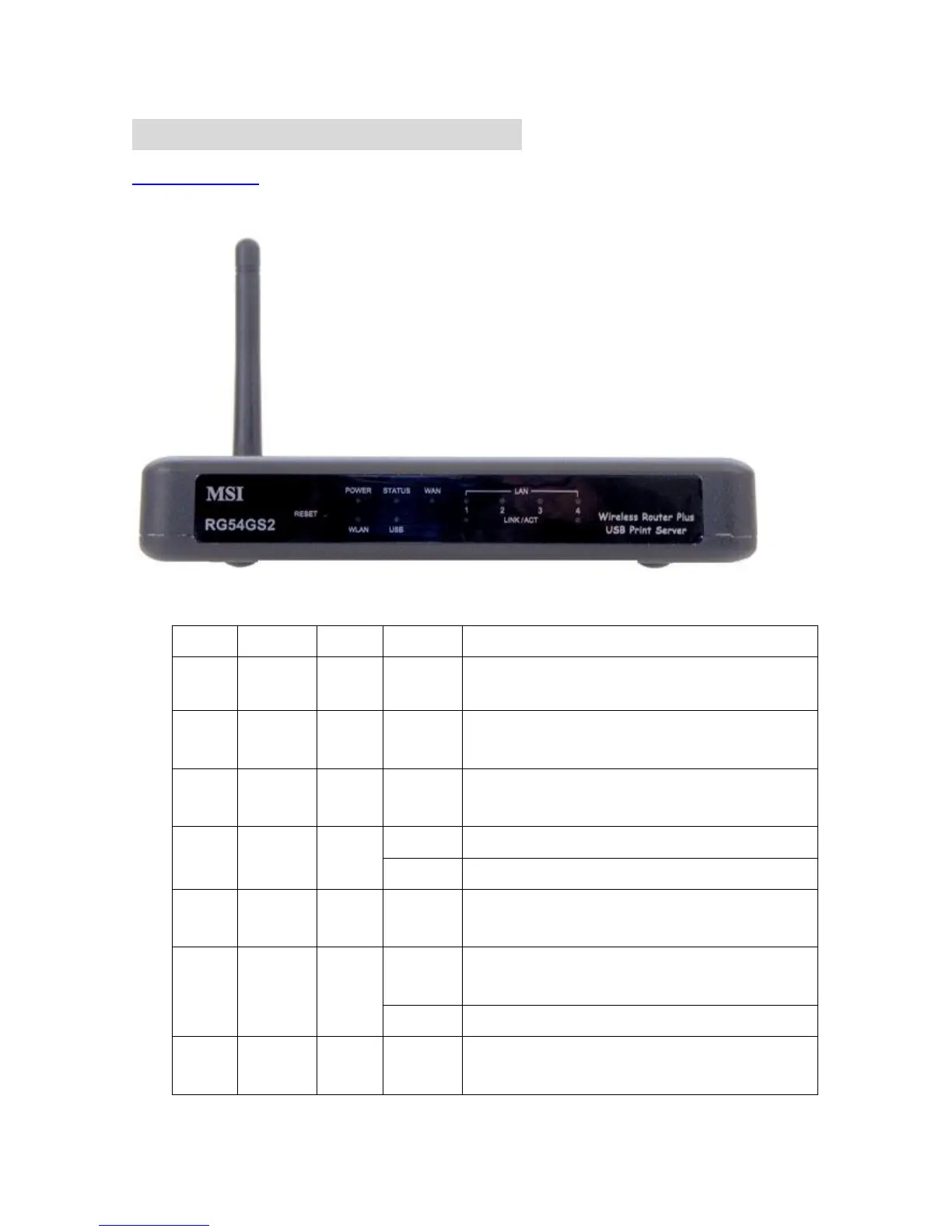
2.1.1. Front Panel
Figure 2-1 Front Panel
LED Function
Color Status Description
POWER
Power
indication
Green On Power is being applied to this product.
Status
System
status
Green Blinking M1 is flashed once per second to indicate system is alive.
USB
USB port
activity
Green On The USB port is linked.
On The WAN port is linked.
WAN
WAN port
activity
Green
Blinking The WAN port is sending or receiving data.
WLAN
Wireless
activity
Green Blinking Sending or receiving data via wireless
On
An active station is connected to the corresponding LAN
port.
Link/Act.
1~4
Link status
Green
Blinking The corresponding LAN port is sending or receiving data.
RESET
Reset
Settings
To reset system settings to factory defaults

Other manuals for MSI RG54GS2