3-8
User's Manual
Configure Remote Desktop Connection on Your
Windows 10 Pro System
The following configuration shows you how to enable remote desktop connections
on your Windows 10 Pro computer. This feature is only available for Windows 10
Pro only.
Users can also consider using Miracast or Wireless HDMI as alternative solutions.
For other operating system, refer to "Project to a wireless display with Miracast" on
Microsoft website for details.
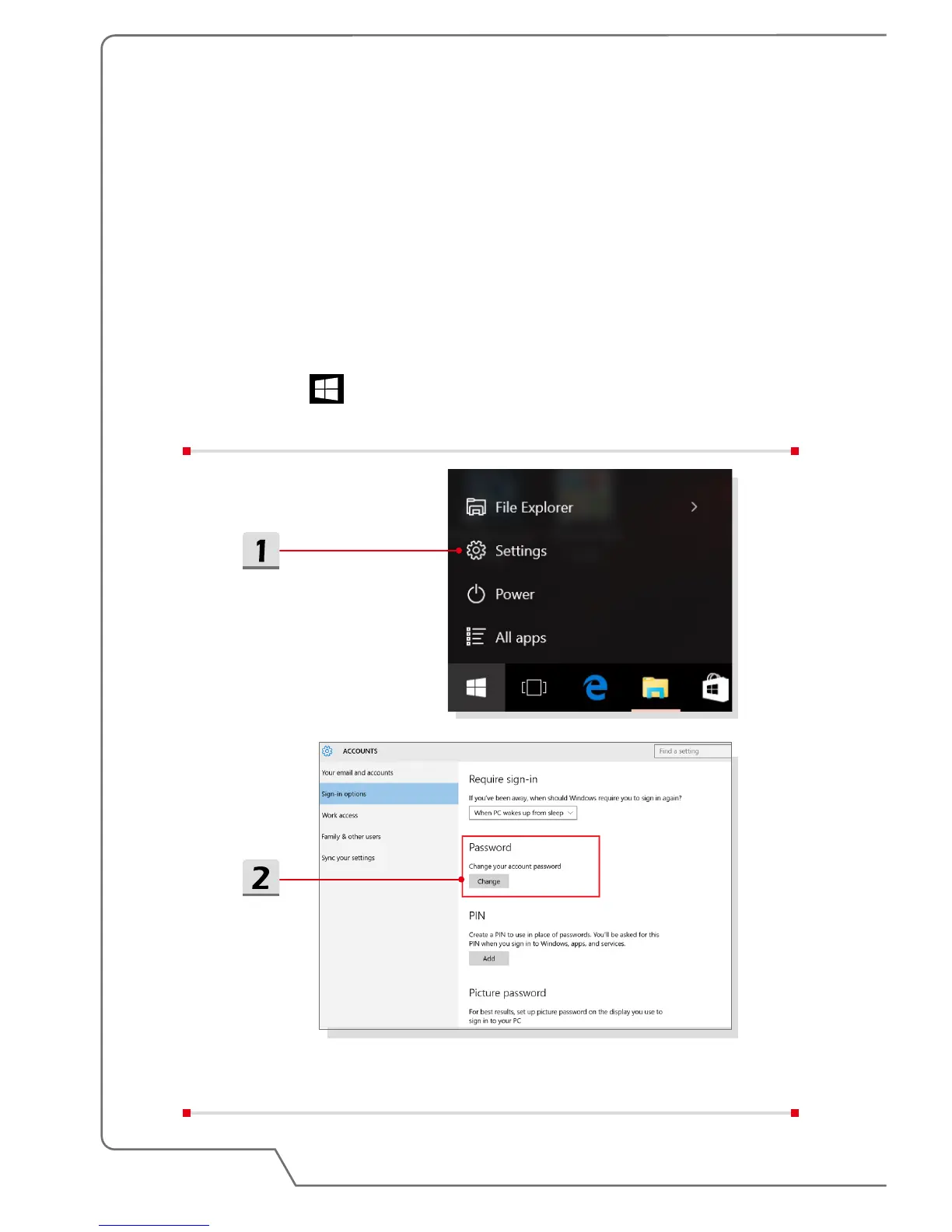
▶ Set password
1. Click the icon, select [Settings].
2. Go to [Accounts/ Sign-in options] to set password.


 To Next Page