3-9
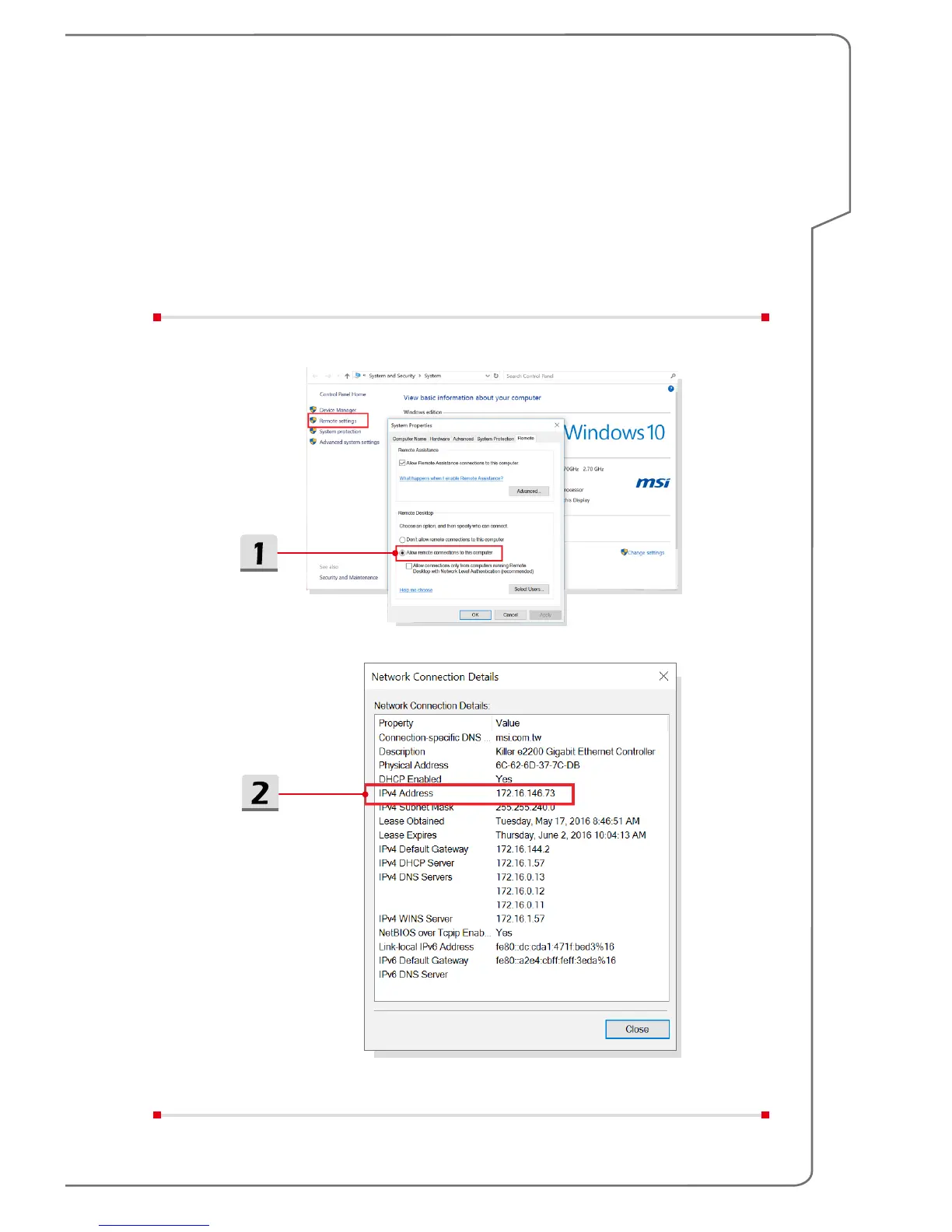
▶ Allow remote connections
1. Open [System], go to [Remote settings], select [Allow remote connections
to this computer] to enable remote desktop.
2. Connect the VR backpack PC to a wireless router, copy the IP address from
Windows Network and Sharing Center. Connect remote client PC to the
same wireless router. Make sure the VR backpack PC and the remote PC
are on the same workgroup.


 To Next Page