3-10
User's Manual
▶ Set up remote desktop connection
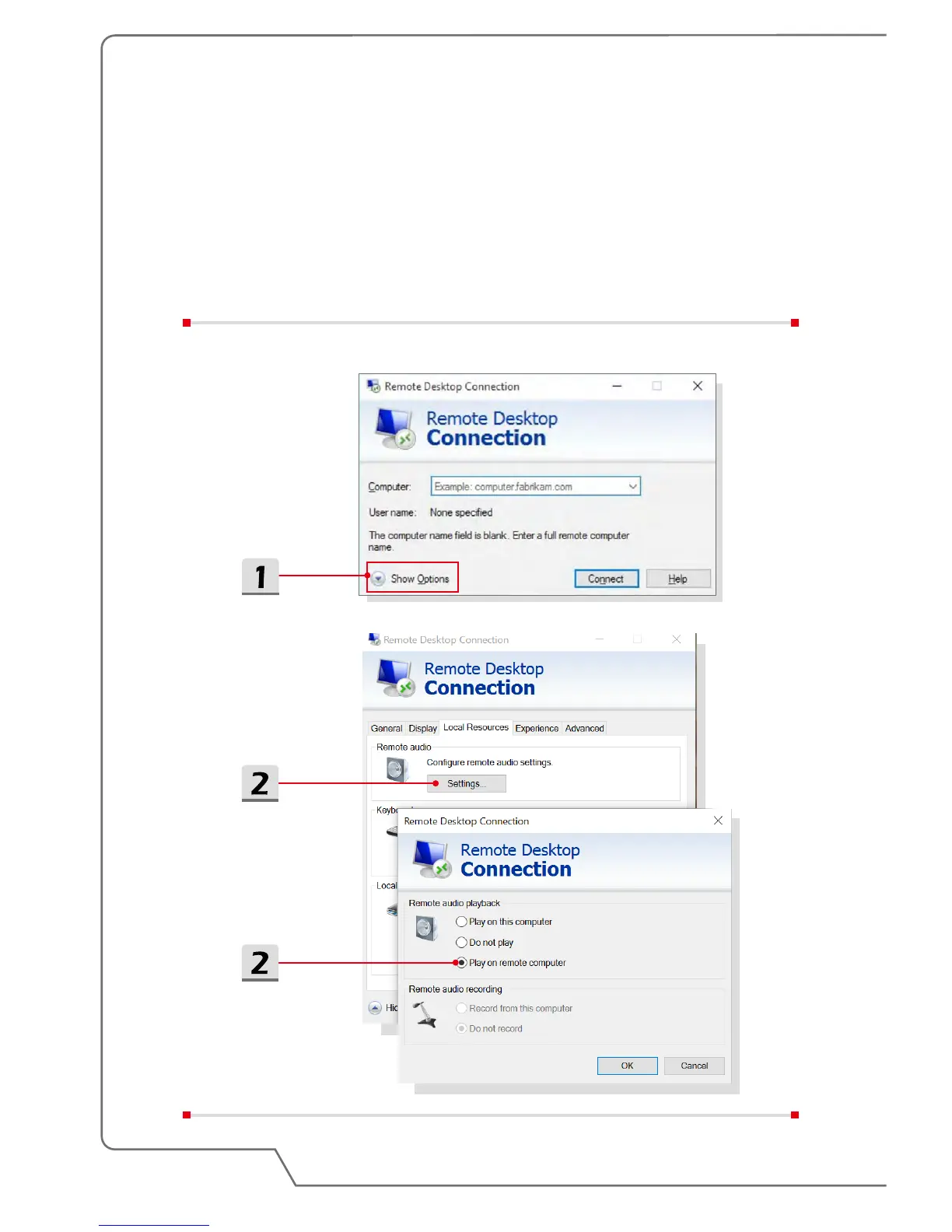
1. Activate Remote Desktop Connection on the client computer, and click
[Show Options].
2. On [Local Resources] tab, click [Settings] and check [Play on remote
computer].
3. Enter the IP address and user name of the VR backpack PC on [General]
tab, click [Connect] to enter the password.


 To Next Page