3-5
Getting Started
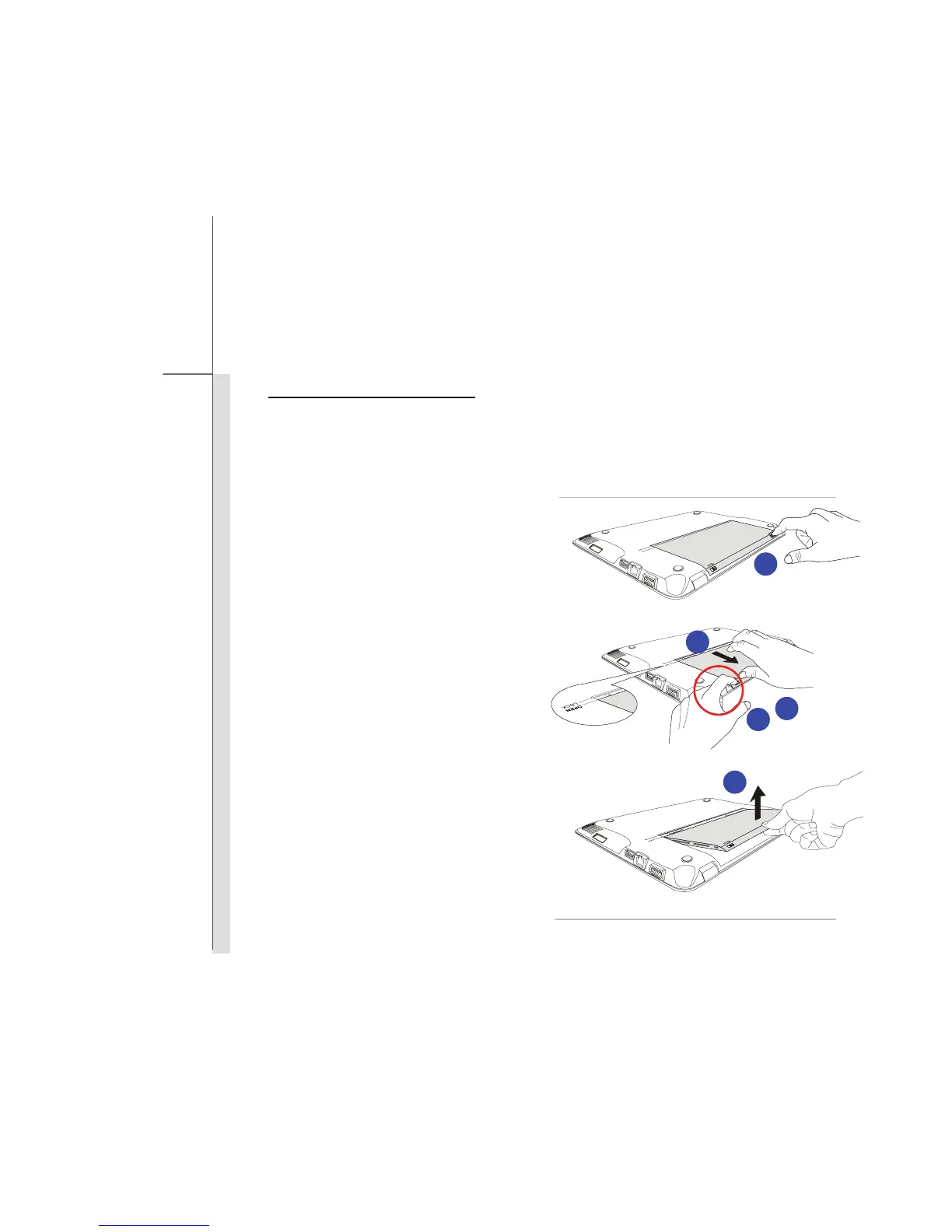
Releasing the Battery Pack
It is always recommended to have another battery in reserve for enough power supply. Please
contact your local dealer to buy a battery pack that is compliant to your notebook. To remove the
battery pack, following the steps below:
1. Make sure the notebook is turned off, and
the AC power is disconnected.
2. Press the lock/unlock button to the unlocked
position.
3. Locate the battery release button on the
bottom side.
4. Push and hold the release button to the
battery releasing direction as shown on
the bottom side.
5. Carefully slide out the battery pack a bit to
the location with “open” mark.
6. Take the battery pack out of the battery tray.
2
3
5
4
6


 To Next Page