3-6
Getting Started
Replacing the Battery Pack
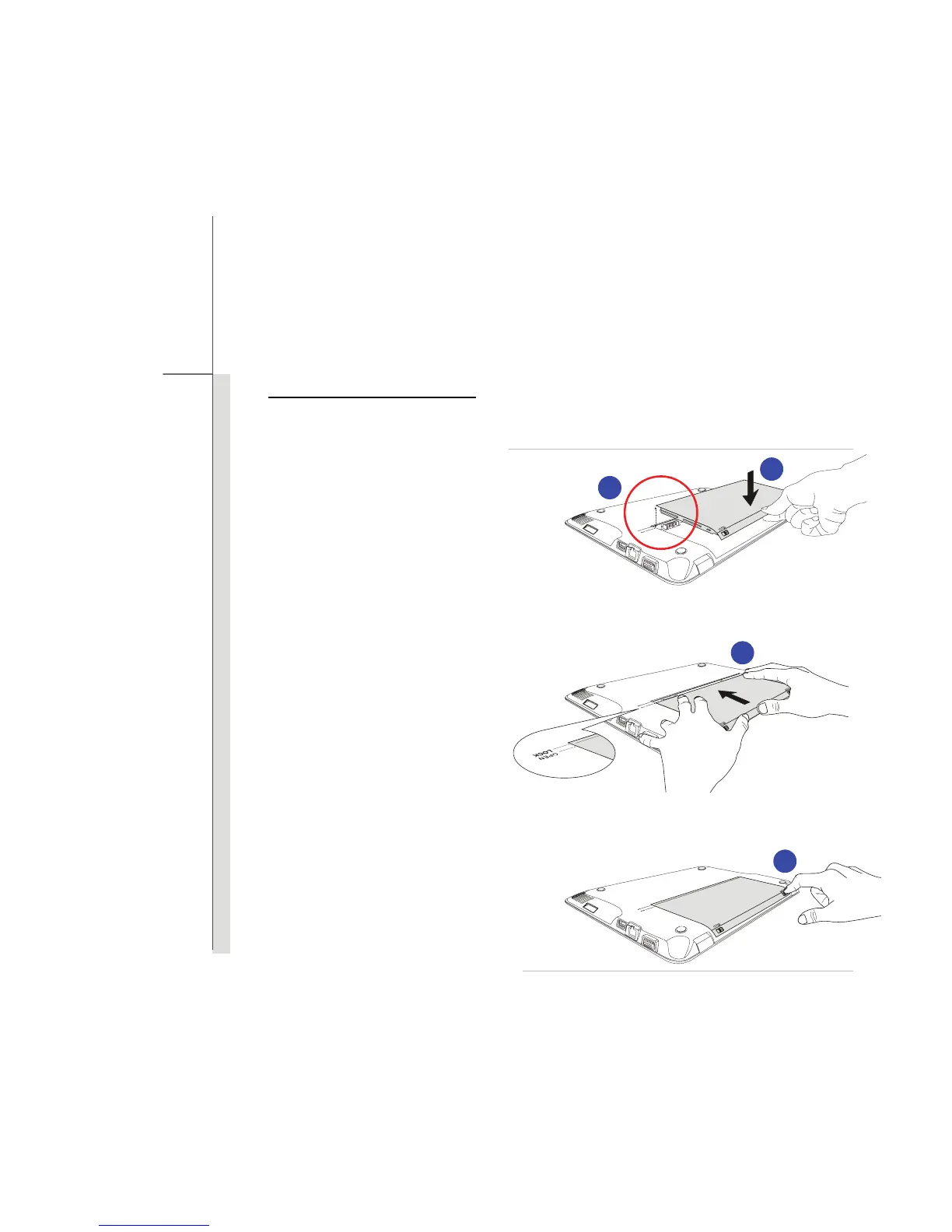
To insert the battery pack, following the steps below:
1. Align the front edge of the battery
pack to the location with “open”
mark shown aside the battery tray
2. Place the battery pack into the
battery tray vertically with correct
orientation.
3. Fasten the battery pack by
pressing it forward to the “Lock”
position
4. Press the lock/unlock button to
the Lock position to make sure
the battery pack is securely
fastened.
3
2
1
4



 To Next Page