EasyManua.ls Logo

MTD 500 - Tire Pressure; Throttle Control

MTD 500
32 pages
Print Icon
To Next Page IconTo Next Page
To Previous Page IconTo Previous Page
Loading...
1
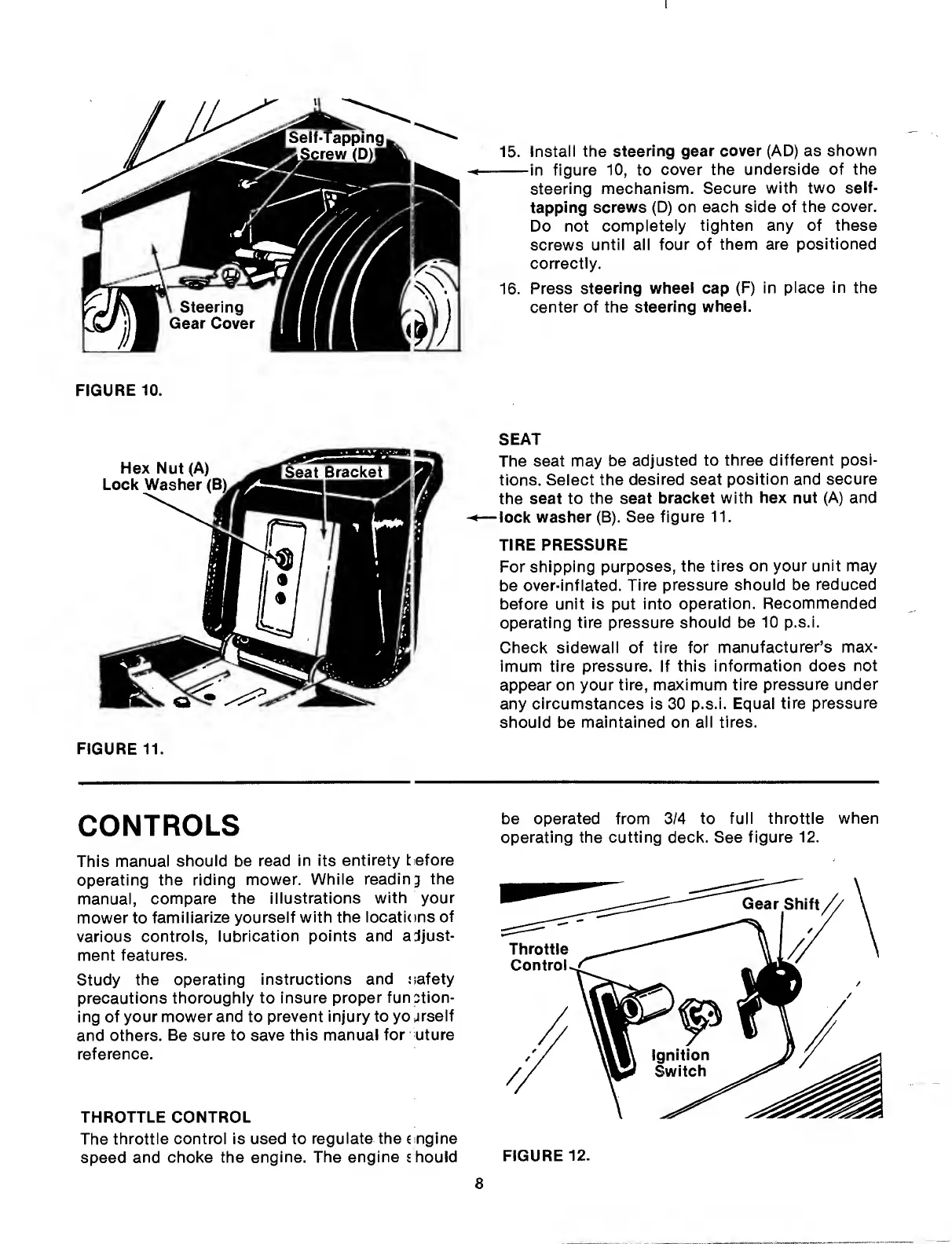
15.
Install
the
steering
gear
cover
(AD)
as
shown
-in
figure
10,
to
cover
the
underside
of
the
steering
mechanism.
Secure
with
two
seif¬
tapping
screws
(D)
on
each
side
of
the
cover.
Do
not
compieteiy
tighten
any
of
these
screws
until
all
four
of
them
are
positioned
correctly.
16.
Press
steering
wheei
cap
(F)
in
place
in
the
center
of
the
steering
wheel.
FIGURE
10.
FIGURE
11.
SEAT
The
seat
may
be
adjusted
to
three
different
posi¬
tions.
Select
the
desired
seat
position
and
secure
the
seat
to
the
seat
bracket
with
hex
nut
(A)
and
—lock
washer
(B).
See
figure
11.
TIRE
PRESSURE
For
shipping
purposes,
the
tires
on
your
unit
may
be
over-inflated.
Tire
pressure
should
be
reduced
before
unit
is
put
into
operation.
Recommended
operating
tire
pressure
should
be
10
p.s.i.
Check
sidewall
of
tire
for
manufacturer’s
max¬
imum
tire
pressure.
If
this
information
does
not
appear
on
your
tire,
maximum
tire
pressure
under
any
circumstances
is
30
p.s.i.
Equal
tire
pressure
should
be
maintained
on
all
tires.
CONTROLS
This
manual
should
be
read
in
its
entirety
t
efore
operating
the
riding
mower.
While
reading
the
manual,
compare
the
illustrations
with
your
mower
to
familiarize
yourself
with
the
locations
of
various
controls,
lubrication
points
and
adjust¬
ment
features.
Study
the
operating
instructions
and
oafety
precautions
thoroughly
to
insure
proper
function¬
ing
of
your
mower
and
to
prevent
injury
to
yojrseif
and
others.
Be
sure
to
save
this
manual
for
uture
reference.
THROTTLE
CONTROL
The
throttle
control
is
used
to
regulate
the
c
ngine
speed
and
choke
the
engine.
The
engine
s
hould
be
operated
from
3/4
to
full
throttle
when
operating
the
cutting
deck.
See
figure
12.
FIGURE
12.

Related product manuals