1770 Brackett St., La Verne CA 91750 USA
•
T:
909-629-7301
•
F:
909-629-7380
•
www.mtnproducts.com
•
sales@mtnproducts.com
Reliably Serving a Thirsty World
®
POU Install
Auto Clean Setup:
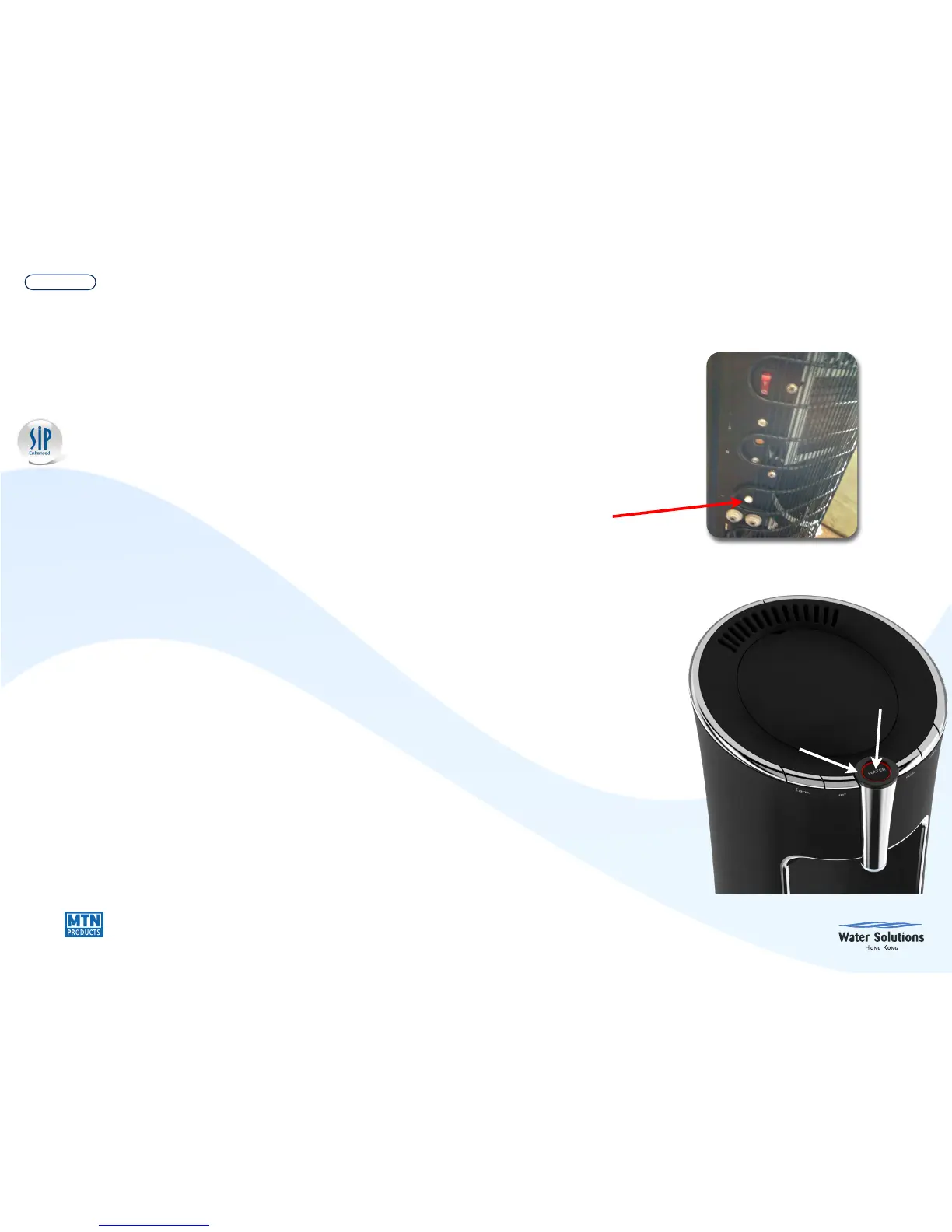
1. Press and hold auto clean button on rear of cooler until
2
nd
beep is heard (approximately 7 seconds.) This will
activate auto clean setup mode and white light on the
“Water” dispense button will start to flash.
2. Press the auto clean button (X)* times (1 push of the
button equals 1 hour) and then press the “Water”
dispense button to accept the setting (you will hear a
long beep and the white light will turn off.) System will
start when (X)* hour is reached.


 To Next Page