M A X
30V30V
M A X M A X
30V
IN P U T
O U T P U T
C O M
mA
V
+ L O O P
X M T+ m A -
+
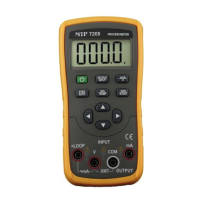
Figure 5-3
2) Press the key〔OUTPUT / IN〕, the LCD
displays ‘INPUT’, and it denotes that the
Instrument is in an input state.
3) Press the key〔mA%/V〕to select the input to
be set in ‘mA’ or ‘mA %’, and the LCD displays
unit ‘mA’ or ‘mA %’, in which the value of 0 %
denotes 4mA and the value of 100% denotes
20mA.
4) The Instrument starts measurement, and the
LCD displays ‘ON’, and the measured result
simultaneously.
5) The refreshing rate of measurement result is
twice every second. And the LCD displays ‘OL’
if the measured value exceeds the measuring
range.
Measuring DC Voltage
1) Insert one end of the test lead into the V jack
of the Instrument (INPUT)terminal and
connect the other end to the output of the
user’s device as shown in Figure 5-4:
2) Press the key〔OUTPUT / IN〕, the LCD
displays ‘INPUT’, and it denotes that the
Instrument is in an input state.
3) Press the key〔mA%/V〕 to select V function,
and the LCD displays unit ‘V’.
4) The Instrument starts measurement, and the
LCD displays ‘ON’, and the measured result
simultaneously.
5) The refreshing rate of measurement result is
twice every second. And the LCD displays ‘OL’
if the measured value exceeds the measuring
range.
M A X
30V30V
M A X M A X
30V
IN P U T
O U T P U T
C O M
mA
V
+ L O O P
X M T+ m A -
M
+
Figure 5-4


 To Next Page