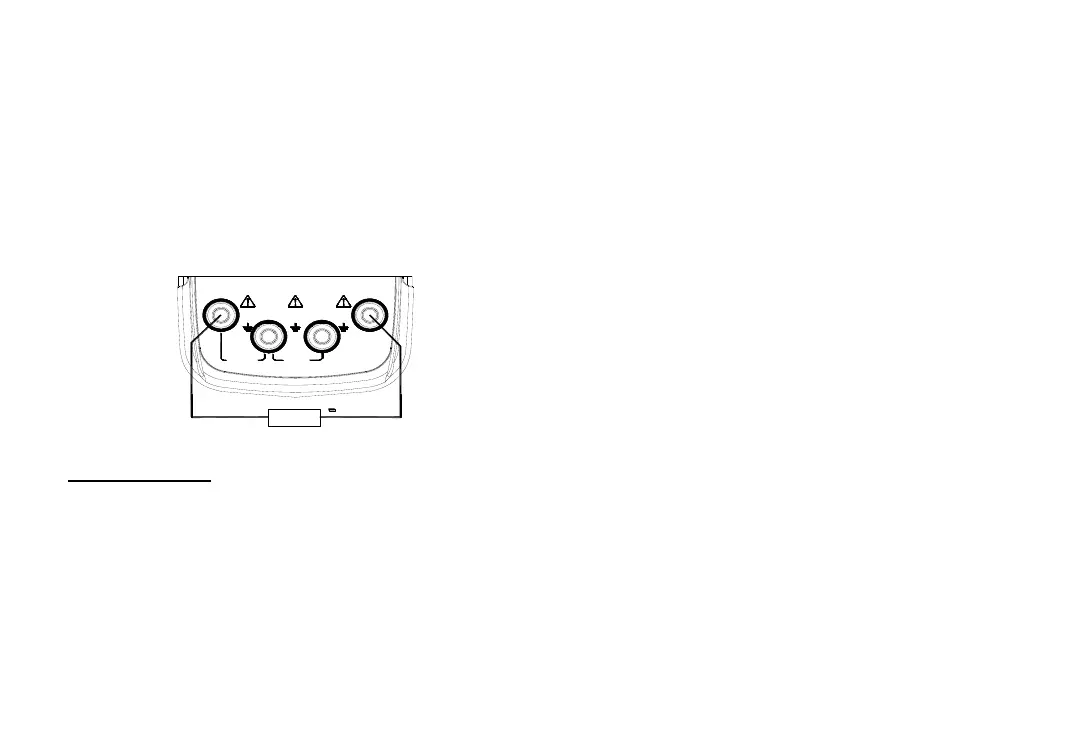
Providing 24V Power Supply for Measuring
Loop Current
Insert the test lead into the +LOOP and mA
input jacks of the input terminal (INPUT) of the
Instrument as shown in Figure 5-5:
The key operation is the same as that of
measuring the DC current.
M A X
3 0V3 0V
M A X M A X
3 0V
IN P U T
O U T P U T
C O M
mA
V
+ L O O P
X M T+ m A -
+
T r a n s m itte r
Section Seven: Setting Function
Fulfilling of the following operation will change
the auto-power-off function of the Instrument:
In power-off state, press the
keys〔mA%/V〕and〔power〕simultaneously to
power on, and release the〔mA%/V〕key only
after the LCD displays all the contents. The
Instrument enters into the calibration mode, and
the symbols ‘AP -XX ’appear in the LCD;
Press the key〔〕/〔〕, and when the
LCD displays ‘AP- OF ’, the Instrument removes
auto-power-off function; And when the LCD
displays ‘AP- ON ’, the Instrument recovers the
auto-power-off function.
Press the key 〔100%/START〕to store the
selection;
Cut off the power again to exit from the
maintenance function.


 To Next Page