Output Operation Procedure
00.000~22.000 mA
-025.00~112.50 mA
%
Current Output
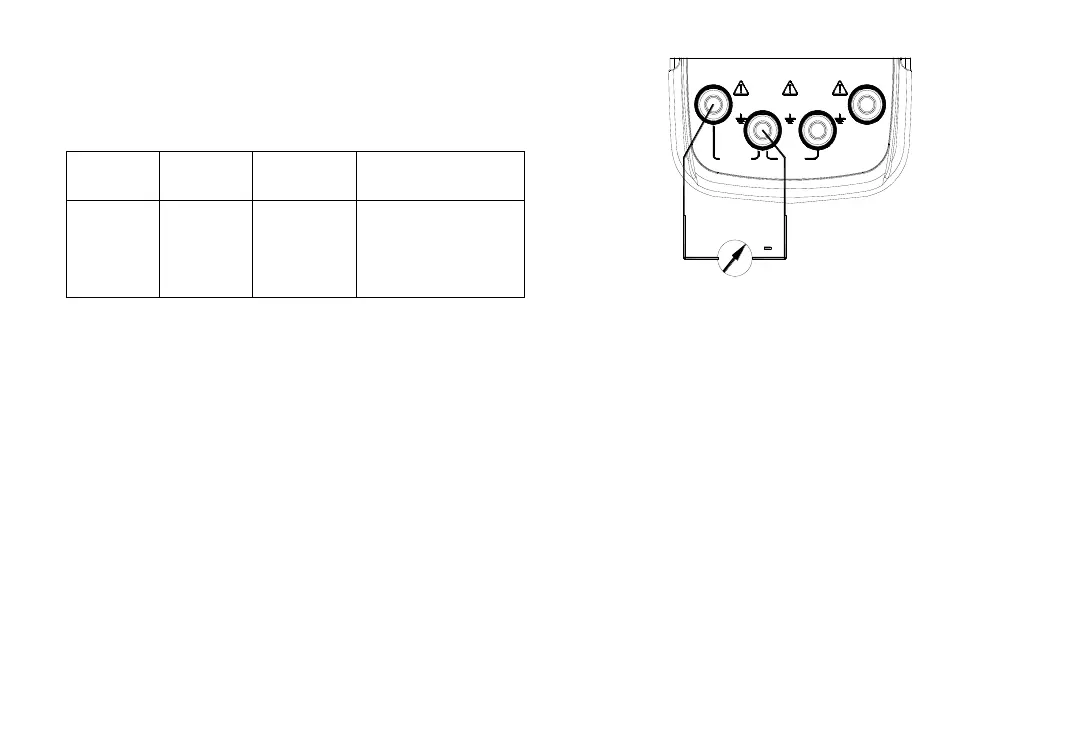
1) Insert one end of the test leads to the + mA –
output jack(OUTPUT)of the Instrument and
connect the other end with the input of the
user’s Instrument as shown in Figure 5-1:
M A X
30V30V
M A X M A X
30V
IN P U T
O U T P U T
C O M
mA
V
+ L O O P
X M T+ m A -
+
Figure 5-1
2) Press the key〔OUTPUT/IN〕, and the
OUTPUT appears in the display. It denotes
that the Instrument is in an output state;
3) Press the key〔mA%/V〕, to select the output
to be set in ‘mA’or %, and then the unit mA or
mA% appears, in which 0% denotes 4mA;
100% denotes 20mA;
4) Press the key〔〕/〔〕to select the set
digits of the output;
5) Press the key〔〕/〔〕to change the
value of the set digits. The value can do carry
or number decrement automatically. Hold the
pressed key in one second and the numerical
value will keep varying.


 To Next Page