8
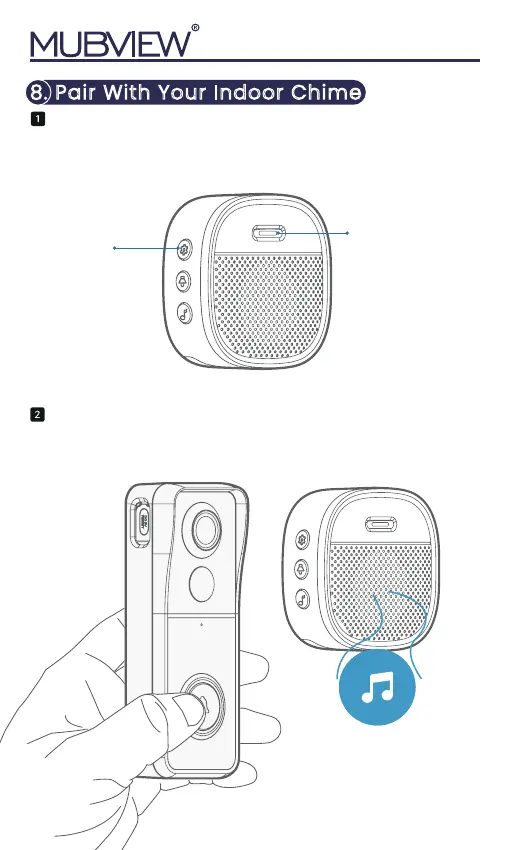
Settings
Chime rings &
indicator flashes blue
Click the SETTING button on the chime, and the
chime will be in pairing mode for 20 seconds,
with its red LED flashing.
Press the doorbell button to send a pairing signal,
and your chime will sound to react, together with its
blue LED flashing. Chime pairing succeeds.
8. Pair With Your Indoor Chime
LED indicator


 To Next Page