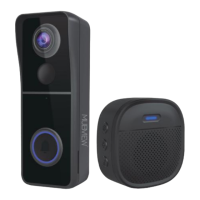
Need help?
Do you have a question about the MUBVIEW Bell-J7 and is the answer not in the manual?
Details powering the indoor chime using three AA batteries for wireless operation.
Explains how to connect the chime to a DC 5V 1A~2A phone adapter via USB.
Essential prerequisites for connecting the doorbell, including SD card, Wi-Fi compatibility, and proximity to the router.
Step-by-step instructions on pairing the doorbell with the Mubview app, including tapping 'Add Device' and selecting the camera.
Guides on pressing the reset button on the chime to enter pairing mode, indicated by a flashing red LED.
Instructions to press the doorbell button to initiate pairing with the chime, confirmed by a blue LED flashing on the chime.
Options for customizing chime settings, including ringtone selection and volume control, as well as factory reset.
Recommendations for mounting the doorbell at an optimal height for view angle and motion detection performance.
Instructions for marking screw hole locations and securely installing the wall mount on various wall types.
Steps to attach the doorbell to the mounting bracket and secure it with the provided security screw.
 General
| Brand | MUBVIEW |
|---|---|
| Model | Bell-J7 |
| Category | Accessories |
| Language | English |

 To Next Page