5
support@mubview.com
7. Add Doorbell to App
7.1 Preparations for connection
① Insert Micro SD Card into the camera to save video
clips or you can start the 3-day free cloud service.
Without Micro SD Card or cloud service, no video will
be saved.
② The camera only support 2.4GHz Wi-Fi, not
support 5GHz.
③ When connect to the network, please take the
camera close to the router(suggest within 10-15ft).
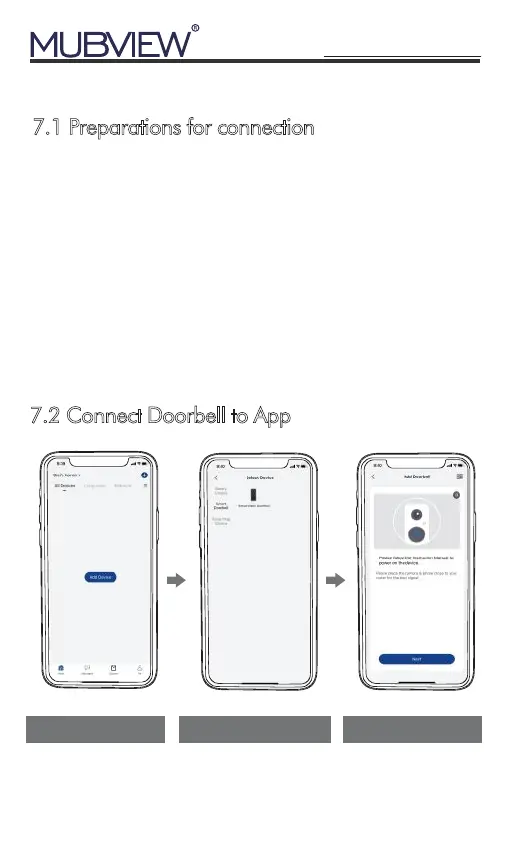
7.2 Connect Doorbell to App
Tap 'Add Device' Select 'Doorbell Camera' Power on the Camera


 To Next Page