8
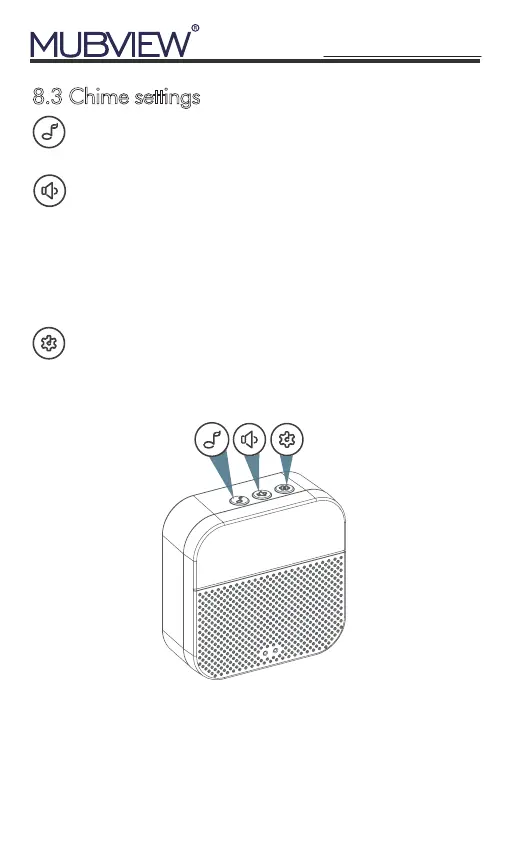
8.3 Chime settings
Ringtone selection
Click change ringtone (4 ringtones available)
Volume control button
Level 1: 110 dB;
Level 2: 100 dB;
Level 3: 90 dB;
Level 4: 80 dB
Settings
Click to enter/quit pairing mode;
Press & hold 5 seconds to restore factory defaults
NOTE: If you need 3-day overwriting cloud storage for
half a year for free, please contact us to get it.
Email: support@mubview.com
support@mubview.com


 To Next Page