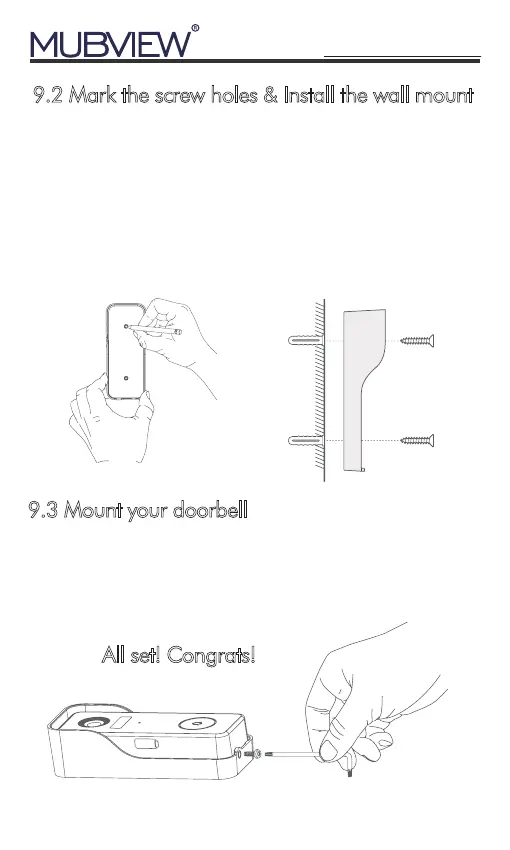
9.2 Mark the screw holes & Install the wall mount
1.Take apart the wall mount from your doorbell and mark
the location of the two mounting holes on your wall.
10
All set! Congrats!
support@mubview.com
2.Screw your bracket into wood wall with the provided
screws. If installing on stucco, brick, or
concrete, drill holes in the wall, then insert the included
anchors before driving in the mounting screws.
9.3 Mount your doorbell
Attach your doorbell to the mounting bracket and snap
the doorbell to make sure it reaches the bottom. Then
secure it with the provided starsharpped security screw.


 To Next Page