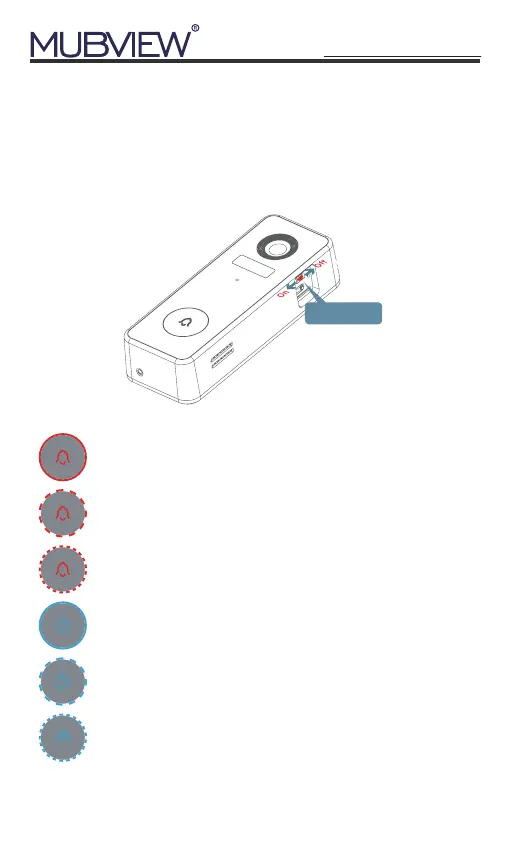
Remove the wall mounting bracket and silicone cover,
switch on your doorbell. The LED indicator will flash red
(once per second), and it is ready for network setting.
4. Switch on the Doorbell
On/Of switch
Solid Red
Device is abnormal
Solid Blue
Successfully connected to WiFi network
Flashing Red Slowly (Once per second)
Ready for WiFi configuration
Flashing Blue Slowly (Once per second)
Live-viewing doorbell camera
Flashing Red Quickly (Twice per second)
Device is connecting to WiFi
Flashing Blue Quickly (Twice per second)
Upgrading doorbell firmware
3
support@mubview.com


 To Next Page