Need help?
Do you have a question about the MUBVIEW ZS-GX7S and is the answer not in the manual?
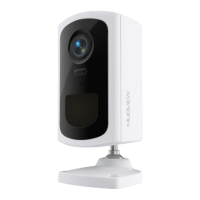
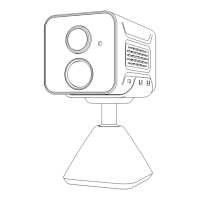
Identifies physical parts of the camera such as lens, microphone, and ports.
Details the function of power key, charging port, indicators, and SD card slot.
Instructions to download the MUBVIEW app and register a new user account.
Guides on granting necessary permissions for the MUBVIEW app to function correctly.
Insert SD card, power on, and reset the camera as preparation for setup.
Steps to select the camera type and start the connection process in the app.
Select 2.4GHz Wi-Fi, enter password, and prepare to scan QR code for connection.
Verifies the successful connection of the camera to the network.
Guidelines for mounting height and optimal placement for PIR motion detection.
Details battery lifespan, charging duration, and charger specifications.
Recommendations to optimize battery life by adjusting motion detection settings.
Instructions on how to share camera access with multiple users.
Notes on reduced battery performance in cold temperatures and charging advice.
Addresses device offline, Wi-Fi password changes, and video playback problems.
Solutions for frequent alarms and failure to receive notifications on the phone.
Diagnosing issues based on indicator lights, QR scan, and connection failures.
Details warranty policy, customer service, and contact methods.
Provides web and social media links for further company details.
 General
| Field of View | 120° |
|---|---|
| Night Vision | Yes |
| Weather Resistance | IP65 |
| Smart Detection | Motion Detection |
| Two-way Audio | Yes |
| Viewing Angle | 120° |
| Operating Temperature | -20°C to 50°C |
| Power | Battery/Solar |
| Storage | MicroSD, Cloud |
| Night Vision Range | 10m |
| Storage Capacity | Up to 128GB |
| Wireless | Wi-Fi |

 To Next Page