EasyManua.ls Logo

MUBVIEW ZY-C8 - User Manual

MUBVIEW ZY-C8
15 pages
Print Icon
To Next Page IconTo Next Page
Loading...
A Smarter Safety Solution
QUICK START GUIDE
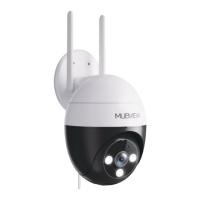
PAN TILT WIRED CAMERA
WIFI OUTDOOR | 24/7 RECORDING | WATERPROOF
ZY-C8
FCC-ID2AZL7-ZY-C6
Question and Answer IconNeed help?

Do you have a question about the MUBVIEW ZY-C8 and is the answer not in the manual?

Summary

Warranty Service

Packing List

Product Appearance

Working Status Light

Explains the meaning of the device's indicator light colors and patterns.

Download & Install App

Account Registration

Add Camera to App

Preparations for Connection

Outlines requirements like SD card, Wi-Fi, and proximity to the router.

Connect Camera to App

Guides users through adding the camera via the app interface.

Alert Settings

Motion Detection Settings

Allows adjustment of motion detection sensitivity and distance.

Noise Detection

Enables detection of noise around the camera with adjustable sensitivity.

Reducing False Alarms

Install the Camera

FAQ

Brand Story

MUBVIEW ZY-C8 Specifications

General IconGeneral
BrandMUBVIEW
ModelZY-C8
CategorySecurity Camera
LanguageEnglish

Related product manuals