8. Install the Camera
Wall
support@mubview.com
1. Make a network signal diagnostic at the place you want to install your
camera. Steps as below: Finding the camera in App - Enter its "Settings"-
Click "Installation Guide" - "WiFi Signal Strength "
2. The place where the camera is installed should be close to the socket.
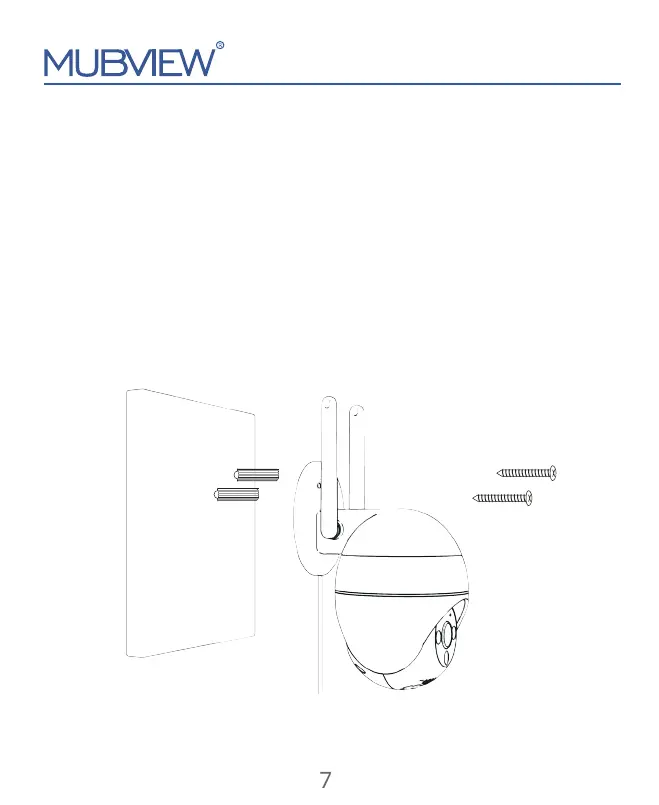
3. Install bracket:
Step 1: Choose a clean, smooth and dry surface (avoid uneven wood leather
and stucco walls).
Step 2: Fix the anchor bolt into the wall - Fix the bracket with screws through
into the anchor bolt.
Step 3: Adjust the angle of the camera as you like.
7


 To Next Page